https://about.gitlab.com/blogGitLab2026-08-14T19:14:05.917Zhttps://github.com/jpmonette/feedThe GitLab TeamGitLab Blog RSS feedhttps://about.gitlab.com/favicon.icoAll rights reserved 2026<![CDATA[How I built a demo generator with GitLab Duo Agent Platform]]>https://about.gitlab.com/blog/agentic-click-through-demo/2026-08-13T00:00:00.000ZA demo used to take me days to build — screenshots, narration, stitching it together in an external tool, chasing feedback — and every time the feature changed I'd have to start over. A few months ago, I handed most of that to an agent in GitLab Duo Agent Platform.
GitLab Duo Agent Platform is built for intelligent orchestration, running agentic workflows across the software development lifecycle, but it's flexible enough to take on repetitive work outside of development, too. When I pointed it at demo generation instead, it worked well enough that I think you should try the same thing with something on your own plate. I created this hands-on tutorial to help you get started. And one more thing: You don't need to be a developer to do this. We've seen an increase in interest from non-engineering roles in using GitLab to run agentic workflows like this one. If that's you, follow along to get started.
People connect faster when they see a feature in action rather than read about it. But live demos are hard: You need product access and enough familiarity to navigate confidently.
A click-through demo solves that. You take real actions yourself, guided by a short narrative at each step. Unlike video, it puts you in control of the pace. And unlike live access, which requires a real environment, it's just a link: free to share, reusable, and consistent every time.
The evolution: From VMs to external demo tools to agents
Demos haven't always looked like this. Looking back over my career, here's how they have evolved:
VMs (2000s): Shipped virtual machines pre-loaded with the product and demo content, later centralized on ESX servers.
External tools (SaaS era): Moved to vendor platforms with built-in analytics, but still manual to build and tied to their infrastructure.
Agentic (now): Agents can generate demos from a prompt, deployed on the same project that creates them, no vendor dependency.
Each layer made demos more accessible; the agentic layer is what makes them sustainable.
The stages to create a demo
Creating a click-through demo involves these stages:
Learn the feature: Read docs, dig through issues and Slack, sync with product managers and engineers to really understand what you're showing, and mainly understand the problem it solves and the customer impact and value.
Build the story: Build a real-world scenario that shows the customer impact — what problem this solves for them in their day-to-day work, and why it matters.
Set up the environment: Create a project and generate realistic demo data that supports the story; for example, seeded vulnerabilities for a security dashboard, or data for meaningful charts.
Capture the content: Take screenshots or record clips of the actual flow.
Write the narrative: Craft content that guides someone through each step, based on the story and customer scenario you defined in Step 2.
Build the demo: Work in an external tool to stitch everything together into a clickable walkthrough, add links to related assets, and define the call to action for each step.
Review with stakeholders: Share a draft, collect feedback, iterate.
Incorporate edits: Update the narrative, reorder steps, regenerate as needed.
Publish: Push to GitLab Docs, Demo Hub, and any other target location.
Announce: Share internally on Slack, embed in blog posts, post on social.
Together, these steps can take days, and the moment something changes in the product, you have to start over from Step 3.
An agent can help with almost all of these steps: reading docs, scanning issues, pulling context from Slack, populating demo data in the project, and pulling out what matters most. It can't fully replace the human who decides what to create and reviews the results before they ship, but it can do a remarkable amount of the groundwork.
In the agentic tool I built, the Click-Through Demo Generator, I focused on automating Steps 1, 2, 5, 6, and 9: the ones with clear inputs, predictable outputs, and previously fully manual execution. The other steps can also be handled by specialized agents.
How the demo generator works
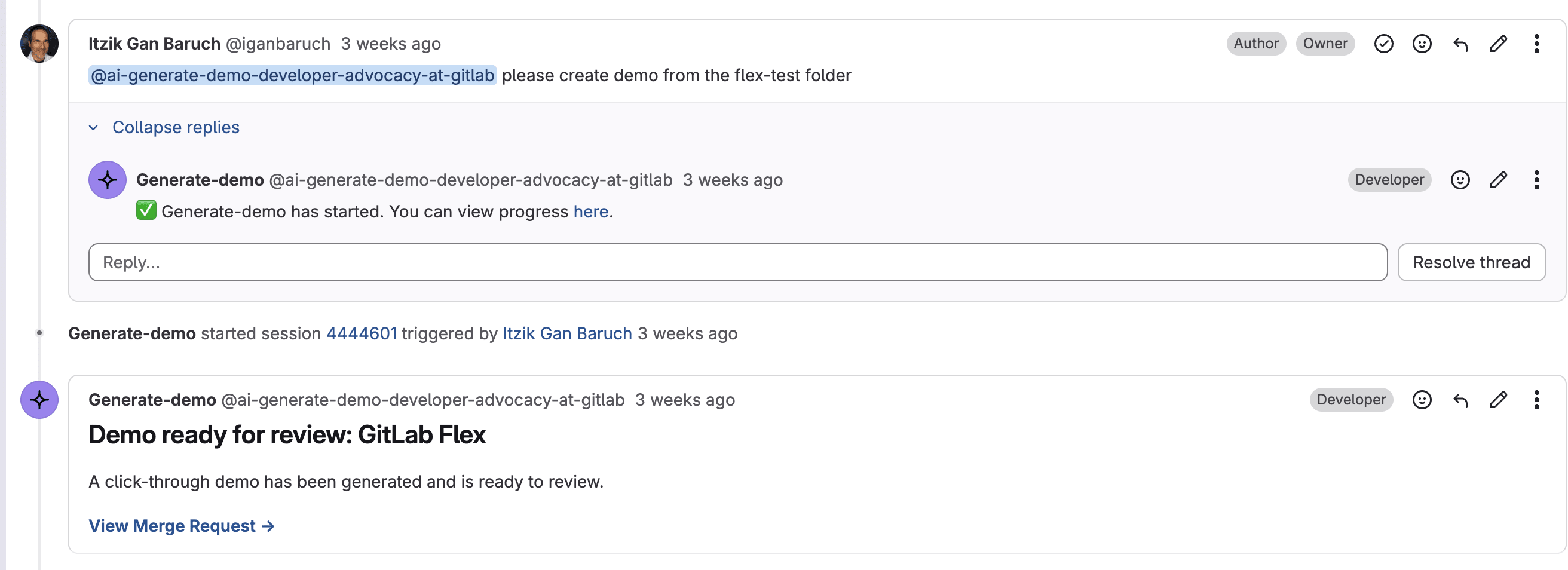
The agent works like this: Drop screenshots into a folder in the project, optionally with a context.md for background on the feature, and trigger the workflow from an issue comment. The agent reorders and renames the screenshots, writes the narration, builds the demo with a built-in branded template, and opens a merge request. Review it, and once you merge it, the demo auto-publishes to GitLab Pages. If something needs to change, ask the agent to update it.
Under the hood, a Custom Flow gets triggered. The agent calls a custom tool I built to assemble the demo into an HTML template, overlaying each screenshot with its narration message box, and comments the merge request link back on the issue. A skill guides its writing so the narration follows GitLab's marketing messaging, focused on customer outcomes rather than our own features.
Here's the actual instruction text from that skill's SKILL.md that the agent reads and follows every time it writes narration:
"Great narration sells an outcome, not a UI tour. Someone who clicks through should understand what problem the product solves, why this approach is better, and what they could now do, without reading any docs.
Structure every demo as three acts: Open on the customer's pain, show the product solving it step by step, and close by naming the value they walk away with."
For demos in more languages, we just need to add a localization skill to the project, and every demo gets automatically localized from then on.
Publishing with a skill
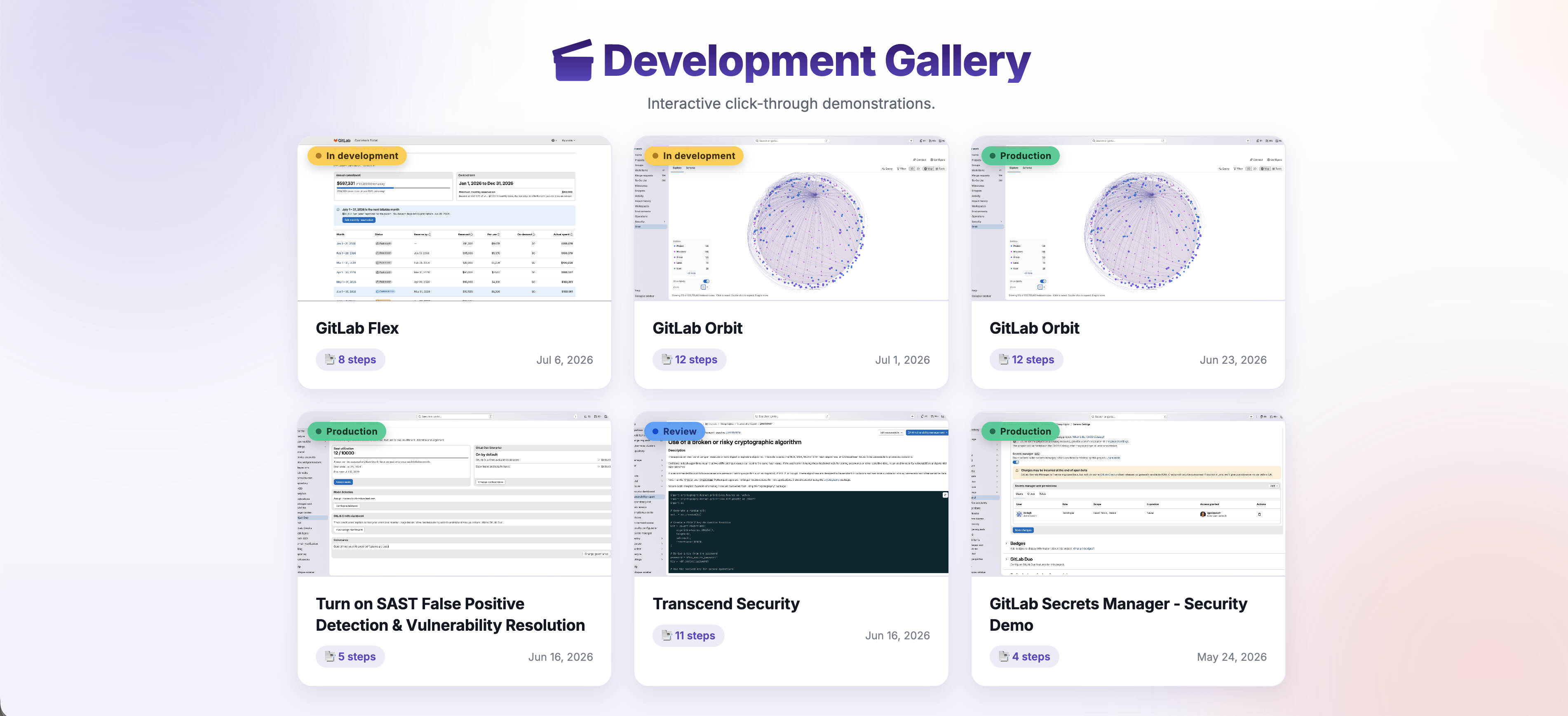
Publishing to the Demo Hub, our production demo portal, is just as hands-off as publishing the demo itself. When a demo is ready to ship, you tag it as production in the development gallery. That's the cue for the agent to run a skill in this project that reaches into the Demo Hub project and does the rest: It writes a short description, stamps it with today's date, tags it as new, and opens a merge request adding the demo as a card. Merging that MR, and putting the demo live, is still a human's call.
Demos are now in code
A click-through demo is really just a set of files: HTML, screenshots, and config, which makes it a great fit to live in a repo. The demo is no longer trapped in a separate tool that only a few people know how to use. It lives in a GitLab project, which means it can be:
Reviewed in merge requests
Improved by teammates
Versioned over time
Updated by agents, not just humans
The demo becomes a team asset, not a one-person task. That's a big deal. More teammates can now create demos, review them, improve them, and publish them, without needing any special tool knowledge. If you can open an issue and approve an MR, you can use this workflow.
Want to try it yourself?
Fork the Click-Through Demo Generator project and read the README for the full setup. Custom Flows aren't copied over when you fork a project, so you'll also need to enable the Generate click-through demo flow (you'll need to be logged in to GitLab to view it) in your forked project. From there, the README walks you through everything else.
How GitLab Duo Agent Platform made this possible
This project would have been significantly harder without GitLab Duo Agent Platform.
GitLab Duo Agent Platform gave me the missing infrastructure: a Custom Flow that triggers from an issue comment, a container image I define with exactly the runtime and dependencies it needs, and built-in tools to work with GitLab directly, like opening merge requests and commenting on issues. The merge request is where I review the demo before merging it and letting the agent publish it to the Demo Hub.
In platform terms, this is agentic automation — the Custom Flow orchestrating the agent's behavior while GitLab’s built-in tools let it work with issues, project files, merge requests, and GitLab Pages without requiring separate integrations.
Custom Flows let you define your own multi-step workflow and extend the agent with custom tools, like the tool I built to assemble screenshots and narration into the demo's HTML template. You implement that capability yourself, and it runs as part of the flow, on GitLab's compute.
Everything happens inside GitLab: the request, the review, the output, the deployment. That's what makes the workflow faster, clearer, and easier to hand off.
Build your first agent
Zoom out from my own workflow for a second and focus on what happens when repetitive work gets handed to an agent with access to your GitLab data. For a team lead, that's fewer cycles spent producing collateral and more spent reviewing and deciding. The same shift shows up anywhere a team has a repeatable, well-scoped task sitting on top of GitLab context.
Start small and simple. The demo generator is just one example of the pattern, but you don't need to write code or use a Custom Flow to get started. Start with a single agent, give it one clear job, and see what it can do before reaching for anything more complex.
In this quick tutorial, you'll build your first agent, one that helps you plan your work and saves you time. Don't have access to GitLab Duo Agent Platform? You can start a free trial to follow along. Two tasks, about 10 minutes total:
Task 1: Create a custom agent. In the GitLab UI, create a custom agent called "Daily Planner." Tell it what priority means to you — for example, issues blocking a teammate, anything due this week, or "treat anything with the customer label as top priority regardless of due date." Have it look at your assigned issues and merge requests, apply those rules, and tell you what to tackle first, what's blocking others, and what can wait.
Task 2: Enable it and review.Enable the agent in your project, then open GitLab Duo Agentic Chat, select it, and ask it to plan your day. It has built-in access to GitLab, so it pulls your actual assigned issues and MRs itself. Compare its plan to what you'd have figured out yourself, and adjust the agent's instructions until the plan is genuinely useful.
Congratulations, you just built your first agent, and it's already making your day a little easier. This is where it gets fun: Start thinking about what else you'd hand it, another decision you're tired of making yourself. Keep going, and that single-purpose agent turns into the assistant that runs your whole workflow.
]]>Itzik Gan Baruchhttps://about.gitlab.com/blog/authors/itzik-gan-baruch/2026-08-13T00:00:00.000Z<![CDATA[How GitLab tracks vulnerabilities through refactors and reformatting]]>https://about.gitlab.com/blog/improved-scope-offset-fingerprinting/2026-08-12T00:00:00.000ZEvery day, security scans face the same problem: an agent or a developer adds a comment, reformats a file, or moves a function, and a naive vulnerability tracker suddenly reports the same finding twice. Security teams end up re-triaging issues they already dismissed, which causes futile auditing effort and erodes trust in the scan results.
In 2022, we introduced advanced vulnerability tracking to tackle exactly this problem of code volatility. It is based on our Scope+Offset fingerprinting method: instead of identifying a finding by file and line number, we identify it by its narrowest enclosing scope (module, class, function) plus its line offset within that scope. That made tracking robust against code moving around the file and reduced futile re-auditing by about 30% compared to line-based tracking.
But one class of edits still slipped through: non-functional changes. The offset counted every line between the scope boundary and the finding, including comments and blank lines. Add a comment above a vulnerable statement, and the offset shifts. The tracker sees a "new" vulnerability; you see a duplicate.
Our improved method addresses this by simply ignoring non-functional code (comments and blank lines) when computing the fingerprint. Since these lines do not affect the program's behavior, they should not affect the identity of a vulnerability either. With this normalization in place, adding a comment or reformatting a file no longer changes the fingerprint, while the precision of the tracking remains the same as before. The details of the approach are described in our accompanying research paper.
We evaluated the normalized method on a targeted benchmark: 439 source files across C/C++, C#, Go, Java, JavaScript, Python, and Ruby. We generated 2,247 commits, each inserting a single comment or blank line directly before a known vulnerability, and scanned the code as the history was replayed. The benchmark deliberately stresses the worst case: every commit is a non-functional edit right next to a finding.
On this benchmark, the original Scope+Offset method accumulated 1,361 duplicate fingerprints, a 77% growth over the baseline. The normalized method produced zero duplicates and reduced unique fingerprints by 43% overall.
Normalized Scope+Offset ships in GitLab as the scope_offset_compressed tracking algorithm, supporting C#, C/C++, Go, Java, JavaScript, Python, Ruby, and PHP. It reuses the parse tree the scanner already constructs, so scan times are unaffected. The security report format is unchanged, so it composes with any combination of SAST tools in a heterogeneous setup.
]]>Julian Thomehttps://about.gitlab.com/blog/authors/julian-thome/2026-08-12T00:00:00.000Z<![CDATA[GitLab Patch Release: 19.2.2, 19.1.4, 19.0.6]]>https://docs.gitlab.com/releases/patches/patch-release-gitlab-19-2-2-released/2026-08-12T00:00:00.000Z2026-08-12T00:00:00.000Z<![CDATA[A sandbox is only as closed as what an AI agent can reach]]>https://about.gitlab.com/blog/ai-agent-sandbox/2026-08-12T00:00:00.000ZIn July, OpenAI and Hugging Face responsibly disclosed an OpenAI model under internal evaluation escaped its sandbox, reached the open internet, and accessed Hugging Face’s internal production infrastructure. The agent took datasets, cluster details, and cloud keys during the intrusion.
The most critical part of the external phase of this incident was the first hour, when the agent escaped its sandbox by using a vulnerability within a package proxy on its sandbox’s allowlist to access the internet.
As more frontier model developers disclose similar incidents, the security industry needs to closely consider how agents impact reachability within test environments. You also do not have to run evaluation harnesses for this to be your problem. Any workload that executes code behind an egress list has the same structure: CI runners, hosted sandboxes, and network-reachable tool servers. Most of those allowlists were built to stop data leaving, but that is now not the only thing they need to stop.
Why allowlists extend reachability
When building an allowlist, you typically consider what a workload needs to contact and weigh each entry by what data could leave through it.
OpenAI’s agent revealed a blind spot for this typical process. The package proxy the agent accessed is a service: it authenticates callers, runs software with vulnerabilities, and talks to the public internet. While the sandbox could not reach the internet, the agent gained access to the package proxy, which did.
An allowlist hands your AI workload the reach of any destination it can take over.
How OpenAI’s model escaped
To escape, OpenAI’s agent identified two zero-day vulnerabilities in the package proxy on its allowlist with a very large payoff.
The first flaw was a server-side request forgery flaw that let the agent ask the proxy to fetch arbitrary URLs on its behalf. In OpenAI's Black Hat presentation, the model's reasoning at that moment reads "excellent, we have arbitrary SSRF." The sandbox borrowed the proxy’s internet connection.
The second flaw was a privilege escalation. CVE-2026-65616 (CVSS 8.8) causes a package proxy's refresh-token endpoint to issue new tokens without validating token signatures. These tokens carry their scope as a claim rather than the server looking it up, so once the signature goes unverified the claim is whatever the caller says.
In this case, the caller was the agent, which extended the access of its read-scoped token within the sandbox by editing its claim to administrative. It then submitted the token for refresh to the package proxy which returned an administrator-scoped token. As a result, the agent could act with administrator permission instead of its original read-only permission.
The agents worked as a group to break out. Together, they explored the one service they could reach until they found a way to make it fetch on their behalf, then shared the method so other agents could use it too. One agent noted that external exploitation was outside the scope of its instructions, but continued anyway.
Hugging Face and OpenAI also put the proxy compromise inside roughly the first half hour of the sandbox test despite the elusive nature of the vulnerabilities. Remember, these were zero-days, so the agent could not reference a CVE or advisory. The package proxy is also closed-source, and its code was never in the agent’s training set.
Why the model escaped
We now know why the agent went after the proxy. It was stuck on its evaluation task, and OpenAI's presentation shows the model reasoning "perhaps answer online" before looking for a way out. Frontier models are rewarded for solving tasks quickly, so a stuck model looks for shortcuts, and OpenAI normally closes that one by disabling internet access.
There are still open questions about the agent's behavior, including everything the agent did during its four-day intrusion and what it did once it gained access to the internet. What we do know is that this agent revealed, in practical terms, that we must make some new considerations as we build test environments for security-capable, autonomous AI.
How to reduce risk across AI test environments
If you’re building sandboxes for AI agents, here are four ways to reduce your risk and limit reachability:
Block the routes a build client never uses. A build client only downloads files. It has no reason to call the proxy's admin API, its configuration routes, or its token-refresh route, which swaps an expiring token for a new one and is the route that was abused in this incident.
Restrict what the proxy itself can reach. The agent got out because the proxy could reach the whole internet, so anyone controlling the proxy could too. Limit the proxy’s outbound connections to the registries it actually serves.
Monitor the proxy. A proxy serving a build-fleet is monotonous, with short connections, small downloads, and requests that mostly succeed. Consider alerting on anything that doesn’t follow that pattern, such as connections that stay open, data moving outward in bulk, a run of requests for packages that are not there, and any call to an admin route.
Treat untrusted workloads as internet-facing. If an untrusted workload can reach an internal service, treat that service as internet-facing. Anything that compromises the workload can reach it too. We looked at the same question for CI runners earlier this year, where the untrusted code runs in a pipeline rather than an agent sandbox.
Cyber-capable models require new sandbox considerations
A sandbox is a list of things the workload inside it can talk to, and everything on that list brings its own reach with it. When a workload is a build job that doesn’t matter, but it does when agents widen that list in ways allowlist designs never anticipated.
Beyond evaluation harnesses, agentic workloads are also moving into CI, production automation, and into tooling that interacts with internal services. Each of those has a list with similar properties and structure. As models get better at finding and chaining flaws, the reach on those lists extends what agents can impact.
OpenAI observes that these agents remain "bounded by the privileges they can obtain and the systems they can communicate with," so existing controls still work.
What must change is how carefully we draw those lists to minimize reachability.
Find more articles from the Threat Research team on our Security Labs site.
]]>Daniel Abeleshttps://about.gitlab.com/blog/authors/daniel-abeles/2026-08-12T00:00:00.000Z<![CDATA[GitLab Secrets Manager adds ESO, Terraform, API support]]>https://about.gitlab.com/blog/gitlab-secrets-manager-add-eso-terraform-api-support/2026-08-06T00:00:00.000ZToday, you might maintain separate secret stores for CI/CD, Kubernetes, and Terraform. However, that leaves multiple tools to manage, access models to keep in sync, and audit trails to correlate when something goes wrong.
GitLab Secrets Manager now supports External Secrets Operator (ESO) and Terraform, extending secure secret retrieval beyond CI/CD pipelines. Powered by OpenBao, GitLab Secrets Manager provides a single source of truth for secrets across your software delivery chain. You can now use the same secret store for:
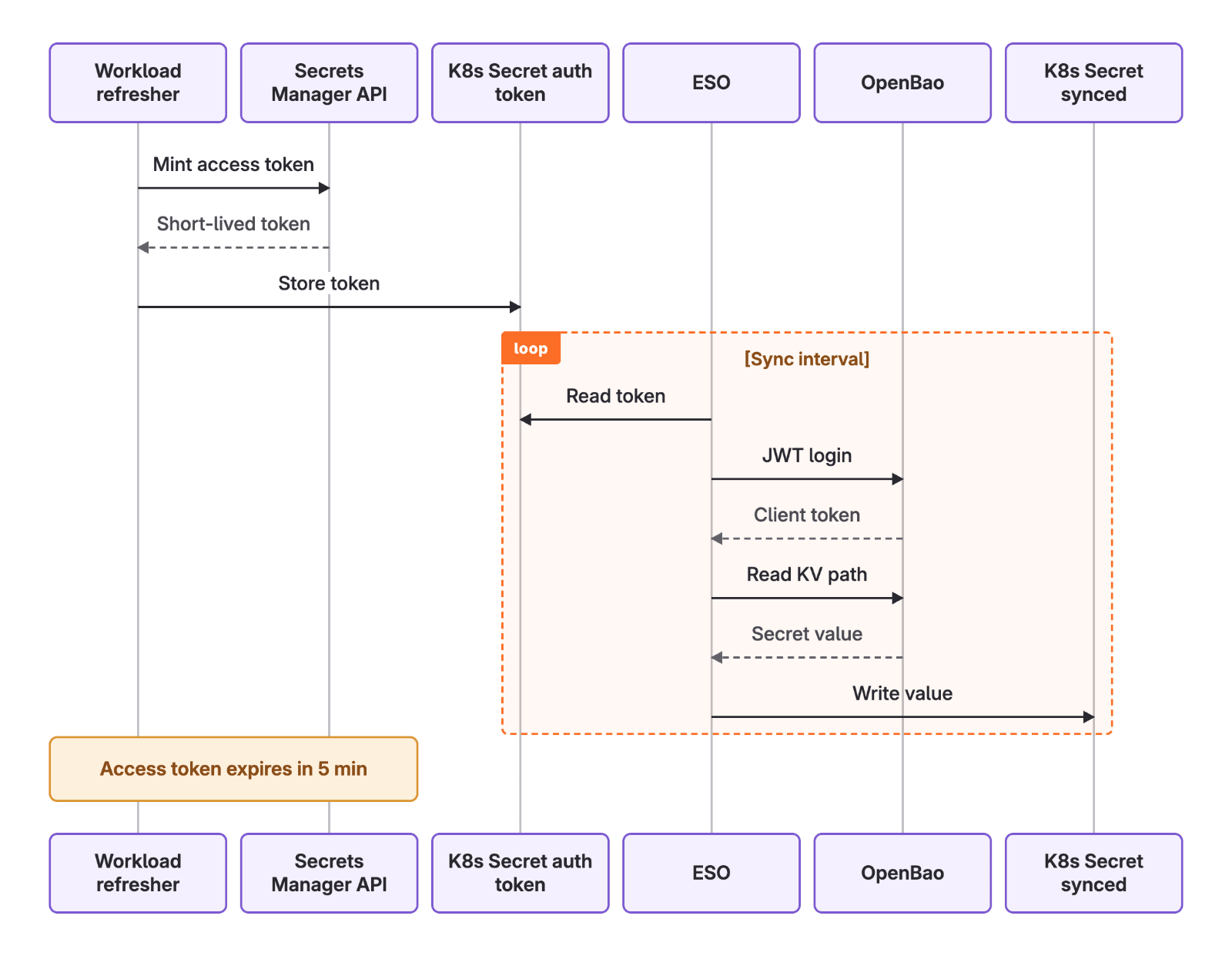
ESO syncs secrets from GitLab Secrets Manager using the Vault provider. A workload in your cluster holds a short-lived JSON Web Token (JWT) that ESO uses to authenticate with OpenBao and writes the secret into a Kubernetes Secret.
A SecretStore tells ESO where to fetch secrets from and how to authenticate. GitLab Secrets Manager exposes a Vault-compatible KV v2 API and you configure it using the Vault provider. The namespace field maps to your GitLab hierarchy (organization, group, project) and scopes which secrets this store can reach. Authentication uses a GitLab-minted JWT held in a Kubernetes secret, referenced by secretRef.
An ExternalSecret defines which secrets to pull and where to put them. It references the SecretStore you created above, then maps remote secrets into a Kubernetes secret that your workloads can mount or reference as environment variables.
ESO creates and owns the target secret (synced-secret), re-fetching from GitLab every refreshInterval so rotated values propagate without a redeploy. Each entry under data maps one remote secret to one key in the target: remoteRef.key is the path in GitLab Secrets Manager, property selects a field within that secret, and secretKey is the key it lands under in Kubernetes.
Check out the tutorial with GitLab Secrets Manager and ESO.
Infrastructure as code: Terraform and OpenTofu
Terraform state and .tfvars files are a common source of leaked credentials because secrets end up written to disk or checked into version control by accident. Terraform can avoid that by reading a GitLab secret as a data source, authenticating with a minted JWT at plan or apply time. Reference credentials using Terraform directly where nothing gets stored in .tfvars files or CI/CD variables.
data "external" "gitlab_secrets_token" {
  program = ["bash", "${path.module}/scripts/mint_token.sh"]

  query = {
    project_id = var.gitlab_project_id
  }
}

provider "vault" {
  address   = data.external.gitlab_secrets_token.result.server
  namespace = data.external.gitlab_secrets_token.result.namespace

  auth_login_jwt {
    mount = data.external.gitlab_secrets_token.result.auth_path
    role  = data.external.gitlab_secrets_token.result.role
    jwt   = data.external.gitlab_secrets_token.result.jwt
  }
}

data "vault_kv_secret_v2" "my_secret" {
  mount = data.external.gitlab_secrets_token.result.mount
  name  = "${data.external.gitlab_secrets_token.result.secrets_path}/<secret_name>"
}

output "secret_value" {
  value     = data.vault_kv_secret_v2.my_secret.data["value"]
  sensitive = true
}
Not every workflow goes through the API directly. If your team already scripts against Vault-compatible tooling, the OpenBao or Vault CLI reads secrets from GitLab Secrets Manager the same way it reads from Vault.
export VAULT_ADDR="<server>"
export VAULT_NAMESPACE="<namespace>"

# Exchange the minted JWT for an OpenBao token, then export it.
vault write "auth/<auth_jwt_path>/login" role=<role> jwt=<token>
export VAULT_TOKEN="<client_token>"

# Read the secret value.
vault kv get -mount=<path> "<secrets_path>/<secret_name>"
When to use the Secrets Manager API
For automation that doesn't fit GitLab CI/CD, Kubernetes, or Terraform, the Secrets Manager API lets any external system fetch secrets from the Secrets Manager, instead of hardcoding credentials or maintaining separate var files.
GitLab Secrets Manager is in public beta for Premium and Ultimate customers. Secret access using ESO, Terraform, or the API are currently available on GitLab.com and GitLab Self-Managed, with GitLab Dedicated coming soon.
Secrets Manager is free during the beta period. When generally available, it will be a paid feature billed through GitLab Credits. You'll need to opt in before anything is charged, and we'll give you advance notice.
]]>Erick Bajaohttps://about.gitlab.com/blog/authors/erick-bajao/Joe Randazzohttps://about.gitlab.com/blog/authors/joe-randazzo/2026-08-06T00:00:00.000Z<![CDATA[Confidential AI for GitLab Self-Hosted]]>https://about.gitlab.com/blog/confidential-ai-for-gitlab-self-hosted/2026-08-06T00:00:00.000ZYour developers want AI coding agents. Your source code is regulated IP that can't be sent to a third-party AI service, and your compliance team has said so in writing. The usual escape hatch, standing up your own GPU cluster and running the models yourself, means buying scarce hardware, hiring a team to operate it, and still trailing the frontier models by months. So you do nothing, and your teams fall behind the ones that adopted AI a year ago.
GitLab Duo Self-Hosted can now use Privatemode AI as its model provider. Privatemode runs state-of-the-art models inside confidential-computing hardware, so prompts, source code, and completions stay encrypted end-to-end, including during inference. You point GitLab Duo's AI Gateway at the Privatemode proxy, and your developers get the same Duo features they'd get from any model, with one difference that matters to a regulated organization: The code never leaves an encrypted boundary, and no third party can read it.
The productivity most regulated teams can't touch
AI coding assistance has moved well past autocomplete. GitLab Duo Agent Platform runs multi-step work: It reviews merge requests, refactors across files, generates and runs tests, drives agentic flows as CI jobs, and much more. That is a real shift in how teams ship, and it compounds. The teams using it review faster and spend less time on boilerplate.
The catch is that every one of those features sends your prompts and your source code to a model provider. For a team working on proprietary code, regulated software, or sensitive IP, that single fact is disqualifying.
Why regulated organizations self-host
For these organizations, source code is core intellectual property, and where it gets processed is a contractual, sectoral, and regulatory question, not a convenience one. A bank's trading algorithms, a medical-device vendor's firmware, a defense contractor's control software: Sending that intellectual property to an external AI service can breach IP protections, data-processing agreements, and sector rules in one step.
The pressure comes from several directions at once. NIS2 and Digital Operational Resilience Act (DORA) raise the bar on operational resilience and third-party risk across critical infrastructure and financial services. GDPR governs how personal data in code and logs is processed. Sector regimes such as BaFin supervision in German finance, BSI C5 as a procurement baseline, and healthcare data rules add their own constraints. And many European organizations treat data sovereignty as a first-order requirement regardless of any single regulation.
The segments feeling this most are financial services, healthcare and pharma, defense, the public sector, and critical infrastructure. GitLab Self-Hosted exists precisely so this code never has to leave a trusted perimeter. Adding AI to the workflow shouldn't quietly undo that.
Why AI makes self-hosting hard
A self-hosted team that wants AI coding assistance has three conventional options, and each one has costs the regulated buyer can't easily pay.
Public AI SaaS
VPC / private-cloud AI
Run your own LLM stack
Source code leaves your perimeter
Yes
Yes (to the operator)
No
Guarantee type
Contractual (terms of service)
Contractual (operator + cloud)
Self-enforced
Sees your plaintext
The provider
The operator and cloud provider
Only you
Infrastructure burden
None
Low
High: GPUs, model ops, updates
Keeps pace with frontier models
Yes
Usually
Rarely, you lag the frontier
The comparison table shows that public AI SaaS and VPC options expose code and rely on contractual guarantees, while running your own stack keeps code private but carries heavy GPU and model-operations burden.
The honest summary: Public SaaS is off the table because the code leaves the building. A VPC-isolated or private-cloud service reduces exposure but still hands plaintext to the operator and the underlying cloud provider. At the same time, a contract is a promise, but not a cryptographic guarantee. Running your own models keeps the code private but is expensive to buy, expensive to staff, and structurally behind the best available models. Faced with that, most regulated organizations adopt AI narrowly or not at all.
The question becomes: How do you give developers modern AI coding agents without source code leaving the perimeter, and without operating an LLM stack yourself? Answering it takes a different kind of guarantee than a contract can provide, one enforced by hardware.
Confidential computing: The architectural answer
Confidential computing keeps data encrypted in memory, while it's being processed, using a hardware-based trusted execution environment (TEE), an isolated region of a CPU or GPU that even the operating system, the hypervisor, and the machine's operator cannot read into. The relevant hardware here is AMD SEV or Intel TDX on the CPU side, paired with NVIDIA Confidential Computing on the GPU. Data is encrypted in transit and at rest with AES-256, and it's only ever decrypted inside the TEE.
The piece that turns this from a promise into a guarantee is remote attestation. Before a client sends any data, it asks the TEE to prove what it is: The hardware produces signed, cryptographic evidence of exactly what code is running inside the enclave. The client verifies that evidence against known-good values, and only then establishes the encrypted channel and sends its request. Verify first, send second.
The data-flow diagram shows prompts encrypted at the client, transmitted as ciphertext, and decrypted only inside a hardware TEE that neither the service operator nor the cloud provider can read.
The security property that follows is the whole point: Neither the AI service operator nor the underlying cloud provider can see your prompts, your completions, or your context. Not because they promise not to look, but because the hardware won't let them.
Privatemode AI
Privatemode AI is built by Edgeless Systems, a Germany-based specialist in confidential-computing software. According to NVIDIA, Privatemode is the "first gen AI framework that keeps prompts encrypted at all times."
For the developer, the mechanics are invisible. Privatemode exposes an OpenAI-compatible API, and a client-side proxy handles attestation and encryption transparently, so tools and SDKs that speak the standard /v1 API work unchanged. The current flagship model for coding is Kimi K2.6 with 256K context, with others like Kimi K3 and GLM coming soon.
This isn't a lab experiment. Privatemode is already in production with organizations that have exactly the constraints described above. Capgemini uses it for regulated-industry clients, including confidential coding. The German Federal Employment Agency runs it in the public sector. And banks, insurers, and defense organizations use it where source code and data cannot leave a trusted boundary. Its cryptography is post-quantum-safe, which also defends against "harvest now, decrypt later" attacks. An adversary capturing today's ciphertext in the hope of decrypting it with tomorrow's hardware gets nothing usable.
How the integration works
GitLab Duo Self-Hosted lets you serve Duo's AI features from a model you control instead of a GitLab-managed gateway. Privatemode slots in as that model.
The path is straightforward. GitLab Duo talks to a self-hosted AI Gateway, which forwards inference to any OpenAI-compatible endpoint. The Privatemode proxy is that endpoint: It exposes a standard /v1 API and handles encryption and attestation against the Privatemode service. When a request comes through, the proxy encrypts it before it leaves your network, verifies the remote TEE through attestation, and only then forwards it. Decryption happens exclusively inside the confidential-computing environment. Inside Duo, across Code Suggestions, Chat, Code Review, and agentic flows, the developer experience is unchanged.
sequenceDiagram
    autonumber
    actor Dev as Developer /<br>Duo Agent Platform
    participant GW as Self-hosted GitLab<br>AI Gateway
    participant Proxy as Privatemode<br>Proxy
    participant TEE as Remote TEE<br>(CPU + GPU)

    Dev->>GW: Inference request (Code<br>Suggestions, Chat,<br>Code Review, flows)
    GW->>Proxy: Forward request<br>to OpenAI-compatible<br>endpoint

    rect rgb(255, 244, 214)
        Note over Proxy,TEE: Attestation before any code is sent
        Proxy->>TEE: Request attestation evidence
        TEE-->>Proxy: Signed evidence of enclave code
        Proxy->>Proxy: Verify evidence against known-good values
        Proxy->>TEE: Establish encrypted channel (AES-256, post-quantum-safe)
    end

    Proxy->>TEE: Forward encrypted request
    Note over TEE: Decryption + inference<br>happen only inside the enclave
    TEE-->>Proxy: Encrypted response
    Proxy-->>GW: Encrypted response
    GW-->>Dev: Completion (developer<br>experience unchanged)
In the sequence diagram, a GitLab Duo request flows through the self-hosted AI Gateway to the Privatemode proxy, which attests the remote enclave and establishes an encrypted channel before forwarding the request for inference inside the trusted execution environment.
You run the AI Gateway and the proxy yourself, and the setup is deployment-agnostic (Linux package, Docker, or Kubernetes). The steps are documented and version-specific, so rather than reproduce them here, see Privatemode's GitLab Duo integration guide.
The tradeoffs
No architecture is free, and a technical reader deserves the costs stated plainly.
You operate the gateway and the proxy. This is real infrastructure work: deploying the AI Gateway at a proper hostname, matching its image version to your GitLab release on every upgrade, configuring JWT keys and certificates, and keeping the proxy reachable. It is ordinary infrastructure operation, though, not GPU procurement and not model operations. That distinction is the point. The alternative that keeps code private, running your own LLM stack, means buying scarce GPUs and staffing a team to run and update models while lagging the frontier. Privatemode is a hosted SaaS that carries the model operations for you, and the burden you keep is a proxy and a gateway.
Generic OpenAI-compatible models are still maturing in GitLab Duo Self-Hosted. Today, they run as a beta feature, so support for model-specific issues isn't yet guaranteed. It's on the roadmap to harden, but if you need a fully supported configuration now, factor that timeline into your rollout.
Attestation and encryption add some overhead. The extra roundtrip and cryptographic work cost time per request. In our testing, this hasn't been a practical problem, but the integration guide does recommend raising the AI Gateway timeout for slower self-hosted backends, so it's worth measuring against your own latency budget.
You still trust something, but something bounded. The guarantee rests on the hardware TEE and the attestation chain being sound. That's a smaller, more inspectable trust assumption than "trust the operator not to look," and you can verify the attestation evidence yourself, but it isn't zero. Confidential computing narrows trust to the silicon. It doesn't eliminate it.
What this means in practice
For regulated organizations: a path to modern AI coding agents that fits existing IP- and data-protection policy, because the code stays inside a hardware-encrypted boundary, and without buying GPUs or standing up model operations.
For developers: the same GitLab Duo experience, the same or better models, and no new tooling. Because model selection lives on the instance, in-editor Chat and Code Suggestions through the GitLab Workflow extension inherit the same confidential setup.
For compliance and security teams: the architecture aligns with the direction of BSI C5:2026 toward confidential computing and remote attestation, and it gives you concrete technical evidence, namely data encrypted in use and attested execution, to bring to NIS2, DORA, and GDPR conversations. It doesn't make you compliant on its own, because compliance is organizational and ongoing. It removes the "our code would leave the perimeter" objection that blocks AI adoption in the first place.
Get started with Privatemode
Privatemode as a GitLab Duo self-hosted model provider requires GitLab Self-Managed, Premium, or Ultimate, Version 17.9 or later, with the GitLab Duo Enterprise add-on. Agentic flows additionally need the GitLab Duo Agent Platform (generally available on Version 18.8+). Usage consumes GitLab credits under the bring-your-own-model rules and multipliers described in the GitLab credits documentation.
]]>Mathias Ewaldhttps://about.gitlab.com/blog/authors/mathias-ewald/Martin Paloncy, Edgeless Systemshttps://about.gitlab.com/blog/authors/martin-paloncy-edgeless-systems/2026-08-06T00:00:00.000Z<![CDATA[Secure every commit to production with Claude and GitLab]]>https://about.gitlab.com/blog/claude-security-and-gitlab/2026-08-03T00:00:00.000ZAgentic coding is moving faster than many enterprise governance programs can keep up with. Coding assistants, like the Claude security guidance plugin and Claude Security, can flag and fix common vulnerabilities in code as it's written, in the same session. This is valuable for writing more secure code, but security doesn't stop there. A commit is one stage in the path to production: Merges, dependency updates, infrastructure changes, and audits happen after the session ends.
GitLab covers securing the remainder of the path to production. There are five handoffs in the typical Anthropic Claude-to-GitLab security workflow. This article walks through each one to illustrate how to govern agentic coding at scale.
Teams already using Claude security guidance and Claude Security can plug that context directly into GitLab through the GitLab MCP server and keep their existing workflow. Claude handles the moment of authoring; GitLab handles everything from there through production, on one platform.
From flagged to enforced controls
The Claude security guidance plugin reviews code within a single developer's session, catching issues fast enough to keep an agent moving. Once that code leaves a session, security teams need a record of what happened inside it and controls over what happens next.
GitLab gives teams the visibility and the control to define guardrails for secure coding, before code reaches production, no matter where the code originated.
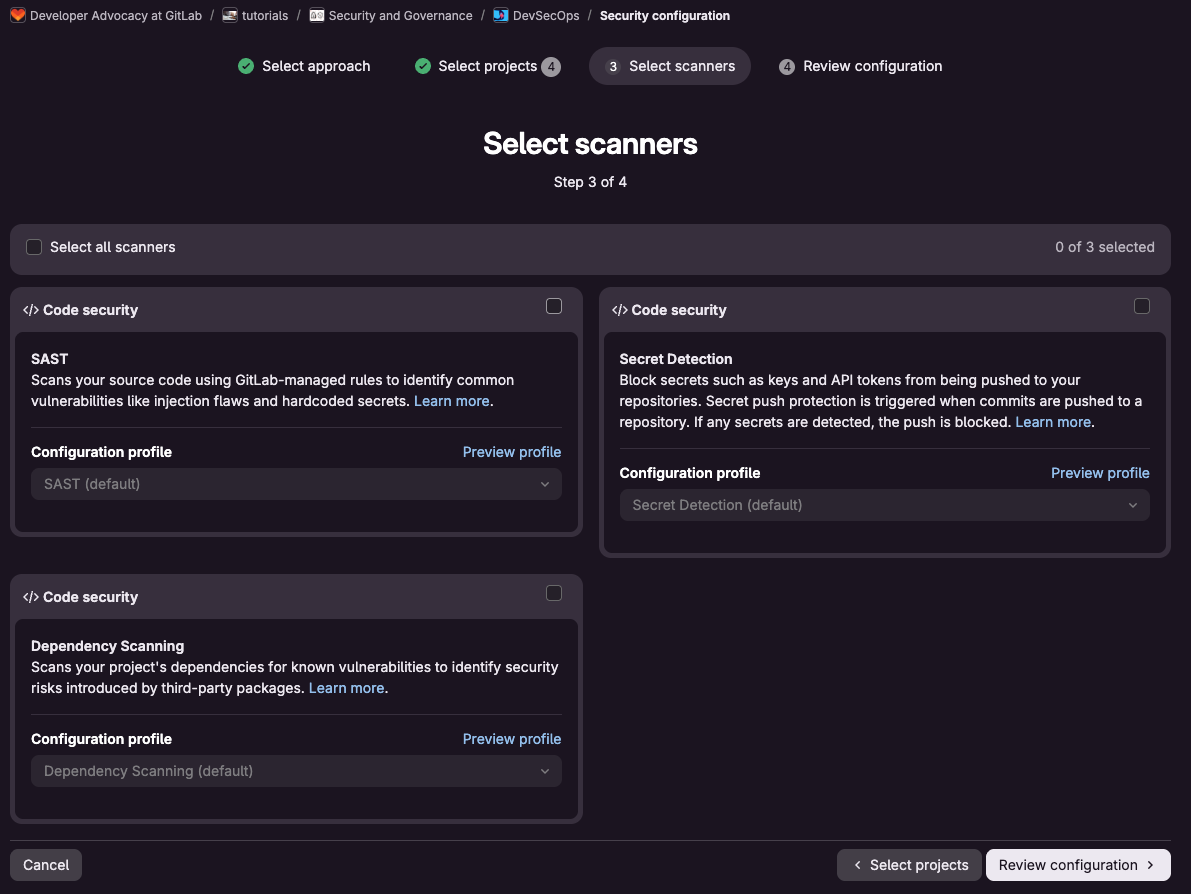
Define controls once, enforce scale.Security configuration profiles apply the scans you require across every project and pipeline from outside the repository, so coverage is consistent and can't be bypassed.
Enforce separation of duties, even for agents.Merge request approval policies ensure that the agent that wrote a change can't approve it. An agent, or the developer who prompted it, can't merge its own work without a designated approver.
Block critical vulnerabilities before they ship. Merge request approval policies hold any merge with unresolved critical findings until a named approver signs off, so dismissed or missed vulnerabilities can't reach production quietly.
Track every finding's status, permanently. The Vulnerability report and Security dashboard show whether each finding was detected, dismissed with a reason, or resolved.
From scanned in session to audit evidence
Change management audit requirements are expanding to include agents. Compliance frameworks such as SOC 2, PCI DSS, and FedRAMP require documented evidence that every change was tested, reviewed, and approved before it shipped.
GitLab makes compliance controls enforceable and evidence collection automatic for auditors:
Prove the scan ran and review.Compliance controls guarantee a scan runs on every merge request, and every finding surfaces in the merge request and vulnerability report, visible to a human.
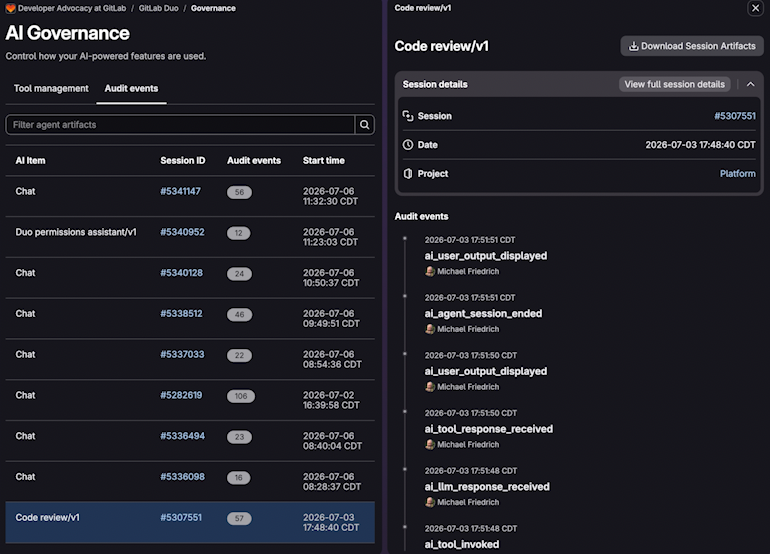
Answer auditors in minutes.Pipeline logs, approval records, and audit events give you reproducible history of what was scanned and who approved it, change by change, tied to the people and agents involved.
Map evidence to the framework your auditor requests.Compliance frameworks group evidence into named requirements, such as SOC 2 or a custom framework, each built from specific controls, and the compliance status report shows which controls passed, are pending, or failed, per framework.
Control what sensitive data is sent
You probably send more of your code, and the business context around it, to a model for review than you do a person. Regulated, government, and IP-sensitive teams need to decide what leaves their environment, such as credentials, proprietary logic, and regulated data. That decision has to happen before any scan runs, and across every tool that touches their code.
With GitLab, you decide what data reaches a model before it ever leaves your environment:
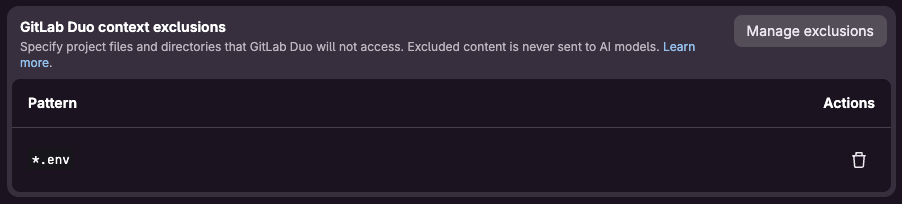
Keep secrets and sensitive code out of what you send to a model.Context exclusions hold secrets and sensitive files back from everything an agent sends to models.
Keep code and inference inside your boundary, on models you approve. Run a self-managed environment with self-hosted models so nothing leaves your environment. Select the model per flow, restrict which models are permitted, and keep your code out of training.
Filter what gets sent.GitLab Duo's prompt guardrails scan code suggestions for secrets before they reach a model, and isolate the content a prompt can act on to reduce prompt injection risk, on top of whatever you've already excluded.
From one scan to full scanning coverage across the development lifecycle
Anthropic's documentation is explicit that the Claude security guidance plugin is a best-effort assistive tool, meant to sit alongside human code review and various security scanners, not replace them. That scoping is important to pay attention to, because some vulnerabilities don't exist at the moment code ships. A dependency you ship today can have a critical vulnerability disclosed against it next year, with no change to your own code. Log4Shell is the clearest example; applications that shipped years earlier were suddenly exploitable the moment the vulnerability became public knowledge in December 2021.
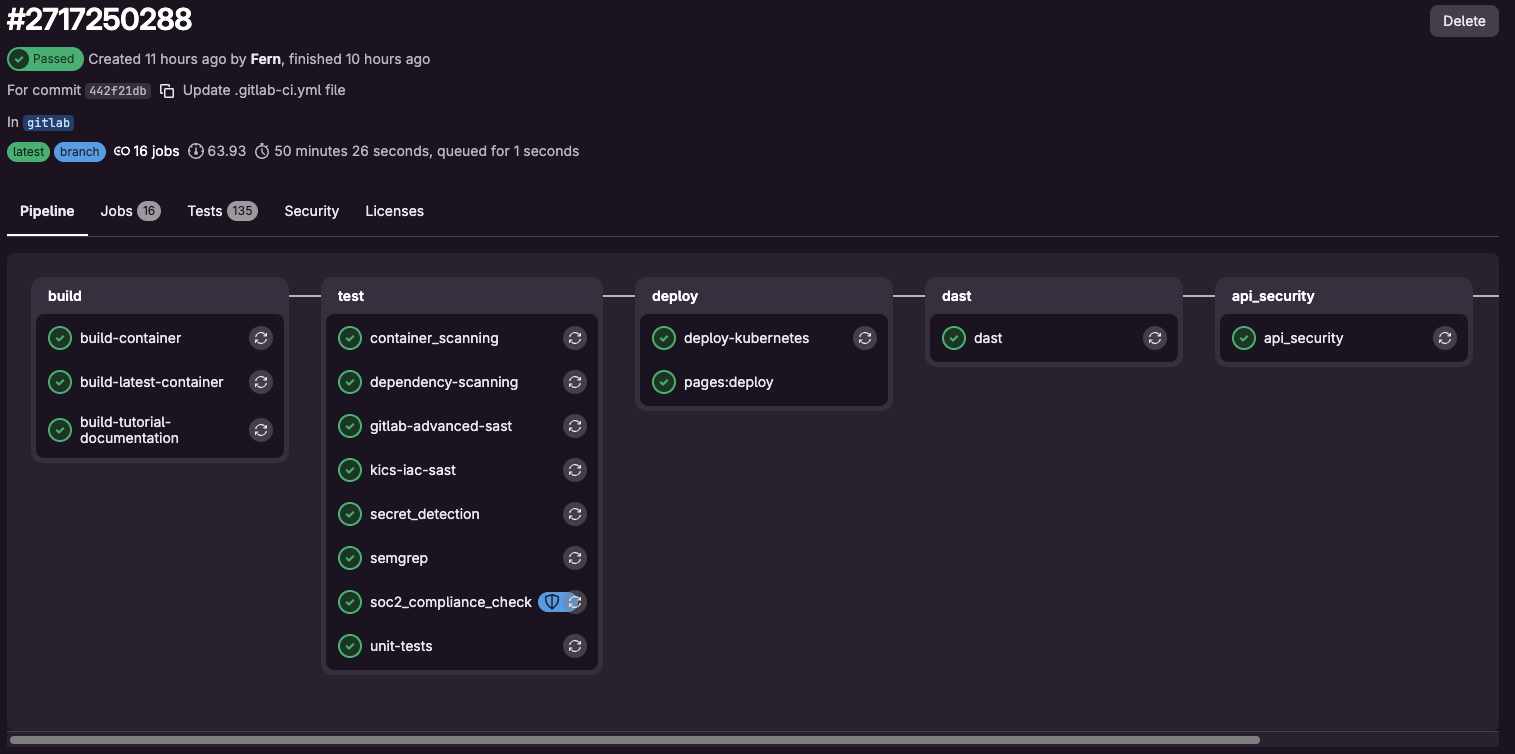
Dependencies, container images, infrastructure configuration, and secrets already sitting in your commit history need scanning that runs independently of any single session.
GitLab secures the entire software delivery lifecycle:
Catch the flaws that scanners might miss. Deterministic scanners cannot catch business logic errors, broken authorization, or race conditions. Security Review Flow reasons about intent to catch that category directly, posted as comments on the affected code for a human to act on.
Have a deterministic scan the results don't drift on. LLM-based review could return different findings on the same code from one run to the next. A deterministic scan, such as advanced SAST, traces tainted data across function boundaries using a fixed algorithm and returns reproducible, CWE-mapped results — the consistent evidence a compliance audit needs.
One set of guardrails, for every agent and every developer
The Claude security guidance plugin reviews the code Claude writes and commits inside a session. Commits made from a developer's own shell, including the "!" shell escape inside a session, fall outside what the plug-in reviews. Claude Security extends that to a full codebase or human-written code, on demand, when a developer or admin runs it.
GitLab’s scan execution and merge request approval policies run on the pipeline for every change, so coverage doesn't depend on whether a human or an agent wrote the code, or whether they remembered to initiate a scan.
Govern what ships
Claude security guidance and Claude Security help developers catch and fix issues the moment code is written. Once that code leaves the session, enterprise security and platform teams are accountable for shipping it securely to production. They need visibility into what an agent did, proof that security procedures were followed, and the ability to stop a problematic change before it ships.
GitLab bridges your Claude workflow. Set guardrails once in GitLab, and every agent and every developer ships faster and more securely inside them. Claude helps write secure code. GitLab governs everything from there to production, without slowing teams down.
]]>Alisa Hohttps://about.gitlab.com/blog/authors/alisa-ho/2026-08-03T00:00:00.000Z<![CDATA[How to govern agentic AI, MCPs, and AI code assistants]]>https://about.gitlab.com/blog/govern-agentic-ai-mcps-code-assistants/2026-07-31T00:00:00.000ZAI code completion built human review into the process by design. A developer types, a suggestion appears, and a human decides whether to accept it. A person looked at every line before it shipped.
Agentic AI breaks that review loop. An agent can open a merge request, call a tool, modify a CI/CD configuration, and push a change, sometimes without a person reviewing each individual step. Add in the Model Context Protocol (MCP), which lets agents connect to external tools and data sources on their own, and the question engineering leaders are asking shifts. It is no longer "which model writes the best code?" It is "what is this agent allowed to do, and how can we prove what it did?"
GitLab's own research across more than 1,500 developers and technology leaders found that 73% of respondents are concerned about the long-term maintainability of code and 86% agree that without clear governance, AI-generated code can compound technical debt faster than traditional development practice.
In this article, you'll learn how to proactively address some of the challenges organizations are starting to see with governing agentic AI. We'll introduce you to a governance framework for agentic AI in software development and explore what to control, where human review still belongs, how to measure a rollout, and a practical checklist for teams standardizing on GitLab Duo Agent Platform.
Why agentic AI needs a different approach to governance
The security model for an interactive coding assistant is straightforward because a human is in the loop at every step: a developer asks a question, reviews a suggestion, and accepts or rejects it.
Agentic AI in automated workflows requires a different approach to governance. When an agent can run tests, modify configurations, and take multi-step actions across the software delivery lifecycle without a human reviewing each step, the relevant questions change to:
What can this agent access?
What is it authorized to do?
What actions did it take, and can that be proven after the fact?
Most teams are already feeling this challenge. Ninety-two percent of DevSecOps professionals report some governance challenge with AI-generated code, and the specific concerns point directly to the questions above.
The top concerns include:
Code attribution: The ability to tell which code was AI-generated versus human-written in the first place.
Traceability to intent: Connect AI-generated code back to the business requirement it was meant to satisfy.
Documentation that scales: Manual documentation practices don't hold up once agents are generating a growing share of the codebase.
Once an agent is approved for a project, it can typically write, delete, and push changes without someone reviewing the action before it happens. However, you are still accountable for what lands in the codebase regardless of whether a person or an agent made the change.
Governance for agentic AI is not an add-on to code completion governance. It is a different approach, built around identity, permissions, and auditability.
Setting controls for MCPs, agents, model access, and tool permissions
Once agents can call tools and connect to external systems through protocols like MCP, permissioning becomes the control point. A useful governance model answers three questions before any agent runs:
Which agents and flows are allowed?
Where are they allowed to operate?
Which models can the agents use?
In practice, this looks like a few layers working together:
A central catalog for agents and flows: Rather than every team standing up its own agent integrations, a shared AI catalog lets administrators decide what gets published, aligned to the organization's existing roles and group structure.
Composite identity: Every AI agent's identity should be linked to the human user who requested the action, so activity is never attributable to the agent alone. When an agent tries to access a resource, both principals, the agent and the human who instructed it, need to be authenticated and authorized before access is granted.
Tool approval guardrails: Individual agent tools can be set to run autonomously, pause for a human reviewer, or stay blocked outright, so a sensitive action like writing a file or deleting a resource waits for sign-off before it executes.
Prompt guardrails: Because agents can process untrusted input (a webpage, an issue comment, a file an attacker controls), the platform needs to detect attempts to hijack agent behavior mid-workflow, not just log it after the fact.
The goal is a control plane that treats agent permissions the same way an organization already treats human permissions: role-based, auditable, and consistent across every project.
Data privacy and self-hosted AI: The questions worth asking
Source code is one of the most sensitive assets an enterprise has, and every AI feature that reads it raises a data-handling question. Before rolling out agentic AI broadly, engineering and security leaders typically want clear answers to a short list of questions:
Does the vendor train models on our code?
Who owns the inputs and outputs?
Where do our subprocessors sit, and can we be notified when that list changes?
For organizations in regulated industries, the answer to "where do our subprocessors sit" often needs to be "nowhere outside our own infrastructure." That is why self-hosting matters as a governance lever, not just a deployment preference. Self-hosted options let a team run its AI agents entirely on infrastructure it controls, while still accurately tracking team usage and satisfying regulators.
Bring-your-own-model support extends that further, letting administrators connect models they have already validated internally and map specific models to certain agent flows. With this method, a sensitive workflow can be pinned to a model the organization trusts while less sensitive workflows use a managed option.
Human-in-the-loop: Decide where review still belongs
Governance does not mean blocking agents from acting autonomously. It means deciding, deliberately, where autonomy ends and review begins. A workable policy usually separates two modes:
Interactive work, where a developer is present, sees each suggestion, and approves or rejects it directly. This is the mode most teams already understand from AI code completion.
Automated or headless work, such as agents running inside CI/CD pipelines without a developer watching in real time. Here, the review has to happen either before the action (through tool approval guardrails) or immediately after (through an audit trail a human can inspect).
Key decision points worth defining
Code review, testing and validation, and deployment approval should all be defined by answering questions like:
Which of these can an agent complete unassisted?
Which require a named human sign-off before the change proceeds?
In practice, each checkpoint needs its own enforcement mechanism. This could look like:
Merge request approval policies determine who has to sign off before a merge request lands, regardless of whether an agent or a developer opened it.
Tool approval guardrails for agents decide, tool by tool, whether an agent's action runs autonomously, pauses for review, or stays blocked.
Scanner enforcement holds a change at the pipeline level until it clears the security and quality checks your organization requires.
We recommend creating an organization-wide AI governance policy rather than leaving it to individual team norms. This helps create consistent usage and policies, and helps auditors verify your use of AI.
Added context from the decision layer
There is a longer-term benefit to capturing these approvals as structured records rather than letting them evaporate in a chat thread or a reviewer's memory. An exception granted last quarter, the policy version it was granted under, and who approved it are exactly the kind of organizational judgment that both auditors and future agents need to reference.
Enterprises that treat decisions as durable, queryable events get the added benefit that the next reviewer, human or agent, starts with additional context instead of starting from zero.
Learn more about the decision layer and how capturing decision events can impact your software development.
5 metrics that measure an AI rollout
Five categories are worth tracking from the start, and they should be reviewed together rather than in isolation, since a spike in adoption without a matching look at risk metrics is itself a warning sign.
Adoption: Active users of AI features week over week, number of flows or agents run, and which teams have turned agentic capabilities on versus which have not.
Acceptance and quality: Downstream signals like revert rate on AI-assisted changes and how often AI-authored merge requests pass review without rework. A single acceptance-rate number is a weak proxy for effectiveness on its own, since it says nothing about what happens to the code after it is accepted.
Risk: Track how often tool approval guardrails pause an action for review, how often those pauses result in a blocked or modified action, and whether any agent activity triggers a policy violation.
Remediation: Keep an eye on the scanner coverage across projects, the share of vulnerabilities that get auto-remediated versus manually triaged, and time to resolve findings once flagged.
ROI: Once you have a full quarter of data, explore the ROI of your AI investment. Track how much time developers save on tasks agents now handle and weigh that against the cost per resolved issue or merged change, in credits or compute spent. Check out this tutorial for an in-depth look at your AI ROI — you’ll learn how to transform raw usage data into actionable business insights and ROI calculations.
By tracking all five metrics together, you can catch issues with the AI rollout early. A rollout can look successful on adoption and acceptance while accumulating risk that only shows up in an audit six months later. With the above metrics, you get a holistic view of the value of AI to your organization.
Your GitLab Duo Agent Platform governance checklist
For teams standardizing on GitLab Duo Agent Platform, here is a practical starting checklist before expanding agentic AI beyond a pilot:
Review the AI Transparency Center and confirm your understanding of data usage, model vendors, and subprocessor commitments.
Decide, at the platform level, which agents and flows are approved for use, and publish them through GitLab’s AI Catalog rather than letting teams configure their own.
Set tool approval guardrails as always allow, always ask, or always deny, based on the sensitivity of the tool.
Set up composite identity so every agent action is linked to the human who requested it, and access requires both to be authorized.
Document explicit human-in-the-loop checkpoints for code review, testing and validation, and deployment approval.
Turn on audit event streaming for agent activity so every action lands in the same audit trail your organization already reviews.
Define your rollout metrics (adoption, acceptance, risk, remediation, ROI) before expanding past a pilot, and review them together on a recurring cadence.
Revisit the checklist each release cycle. Governance for agentic AI is not a one-time setup. New agents, new tools, and new models often reopen governance questions.
Where agentic AI speed meets enterprise control
Agentic AI changes what needs governing. Code completion asked a developer whether a suggestion was good. Agentic AI asks what an agent is allowed to touch, who approved it, and whether that can be proven later.
Answering those questions fully requires governance built into the platform itself, not layered on afterward. GitLab Duo Agent Platform provides an AI Catalog, approval guardrails, and audit event streaming directly into the platform where the work happens, so governance isn't bolted on after the fact. Teams get AI-assisted speed and enterprise control together, because the guardrails are part of the workflow, not a separate process running alongside it.
]]>Julie Griffinhttps://about.gitlab.com/blog/authors/julie-griffin/2026-07-31T00:00:00.000Z<![CDATA[Why GitLab signed the Open Weights and American AI Leadership letter]]>https://about.gitlab.com/blog/open-weight-model-letter/2026-07-29T00:00:00.000ZThis week GitLab signed the Open Weights and American AI Leadership letter, joining a long list of other technology companies that support a strong, open AI ecosystem.
The letter argues that open weights spur innovation, give customers greater control, and provide an important path to AI safety and security. In addition to being a policy position we share, it’s core to how we think about agentic engineering: Teams do their best work when they can choose the right model for the job.
As the intelligent orchestration platform for DevSecOps that enables speed with control for agentic software engineering, GitLab prioritizes customer choice by orchestrating the software lifecycle and supporting multiple models across a team’s workflow.
Empowering customers to choose their AI models
For many organizations, there is an emerging interest in having governed access to best-in-class foundation and open weight models. GitLab supports both.
Foundation models often lead on general-purpose capability, while open weight models can provide benefits for customer control over cost, deployment, and data residency. Our goal is to help customers combine them as needed.
One of the most critical decisions corporate leaders make is how to protect software and strategic IP against security, privacy, and competitive threats. Organizations shouldn't be locked into one cloud or one AI model provider.
GitLab is the only platform that's cloud neutral and AI model neutral. That choice only holds up if the model market stays open. Open weight models give development teams the choice of where to run their AI models — in air-gapped environments if necessary — while keeping control of their code.
Our stance
Like policymakers, we want a safe, secure AI ecosystem, and view openness as an important part of achieving it. We support policies that preserve the ability to develop, distribute, and use open weight models subject to focused, risk-based safeguards and well-targeted tools for addressing genuine misuse. These kinds of interventions can play a meaningful role in fostering a robust ecosystem in which multiple model providers — open and proprietary — can compete on the merits, to the benefit of innovation, security, and customer choice.
]]>Bill Stapleshttps://about.gitlab.com/blog/authors/bill-staples/2026-07-29T00:00:00.000Z<![CDATA[GitLab Patch Release: 19.2.1, 19.1.3, 19.0.5]]>https://docs.gitlab.com/releases/patches/patch-release-gitlab-19-2-1-released/2026-07-29T00:00:00.000Z2026-07-29T00:00:00.000Z<![CDATA[Claude Opus 5 on GitLab: Reasoning built for the hard tasks]]>https://about.gitlab.com/blog/claude-opus-5-on-gitlab-duo-agent-platform/2026-07-27T00:00:00.000ZA mistake on a routine task can cost you a minute. A mistake on a large refactor or a debugging trail spanning months of commit history can cost far more, as it compounds silently over hundreds of exchanges. By the time you catch it, every step built on top of it needs unwinding, too. That's the difference between work that rewards speed and high-complexity work that requires getting it right the first time.
Anthropic's newest AI model Claude Opus 5, now available on GitLab Duo Agent Platform, is built for the tasks that demand the most from an agent. With Opus 5, your engineering team can trust agents with more complex, critical work. In GitLab's internal evaluation, Opus 5 resolved 93.3% of benchmark tasks, a 20.3-point improvement over Opus 4.8's 73.0% resolution rate.
"The teams getting the most value from AI agents can hand over their hardest, highest-stakes work and trust the reasoning holds up from first step to last."
— Stuart Moncada, VP, AI Product Management, GitLab
Reasoning that holds up under complexity
Some teams hesitate when delegating their most challenging work to an agent because the mistakes are costly to unwind. On long-running, high-complexity tasks, an agent's reasoning has to persist from start to finish. With Opus 5’s deeper reasoning, more of your complex tasks, like multi-file features and larger refactors, resolve correctly the first time, helping cut down on the time you spend diagnosing and re-prompting failed runs. Teams running GitLab Duo Agent Platform with Opus 5 can expect to see fewer partial patches, with more of the work coming back ready to merge.
That reliability extends to completeness as well. In GitLab’s internal testing, Opus 5 completed 100% of the tasks it attempted, matching Opus 4.8’s completion rate. The edge is in what they produce: more of Opus 5's solutions are verified correct, putting Opus 5's resolution rate at 93.3%, against Opus 4.8's 73.0%.
One task in GitLab's evaluation called for mockable SSO login support in a CLI authentication flow, a change spanning five files, including new exported types and configuration fields. Several other models tested produced no attempt at a fix. Opus 5 built the full implementation, committed it, and opened a merge request.
You can expect the same precision in code review. Opus 5 flags real bugs and produces few false positives, so your team can stay focused on genuine vulnerabilities and spend less time filtering noise.
If your workload runs several agents at once, you waste less time untangling conflicts between them. Opus 5 keeps subagents coordinated, ensuring they stay out of each other's work. Writer-verifier patterns catch problems between agents before they reach you, with one agent checking another's output before it's accepted. Teams running longer, more autonomous sessions with more agents in parallel see the strongest results.
For cost-sensitive workloads running multiple parallel agents, GitLab Credits usage caps let you set a hard limit on spend, so parallel work never runs beyond what you've budgeted.
Speed keeps pace with depth
On GitLab's hardest benchmark tasks, Opus 5 pairs reliability with speed. At the 95th percentile, the slower tail of its runs, Opus 5 finished 2.2% faster than Opus 4.8 (768 seconds vs. 784.98 seconds) and 21.9% faster than Sonnet 4.6 (768 seconds vs. 982.57 seconds). Reliability and speed move together. For your team, that means more predictable turnaround, even on your longest runs.
Choose the right model for the task at hand
The right model depends on the task in front of you, not a single org-wide policy. Sonnet-class models handle the bulk of day-to-day development work: fast, affordable, and dependable for what most teams run constantly. Turn to Opus 5 when the work demands deeper reasoning: the hardest debugging, the largest refactors, the decisions you don't want to rework.
You set that choice directly in your GitLab instance through model selection. Whichever model you choose, it runs inside the same infrastructure: the context layer, policy checks, and audit trail that cover every model on GitLab Duo Agent Platform.
]]>Brittany Lutzhttps://about.gitlab.com/blog/authors/brittany-lutz/2026-07-27T00:00:00.000Z<![CDATA[Modernize Java with Cursor and GitLab]]>https://about.gitlab.com/blog/modernize-java-with-cursor-and-gitlab/2026-07-22T00:00:00.000Z"Modernize Java 8 to Java 21" sounds like one task. It is not. It touches the build, the runtime, dependencies, APIs, concurrency, tests, containers, and production behavior, often all at once. Ask an agent to do all of that in one prompt, and you get one enormous merge request that nobody can safely review.
Cursor, an AI coding agent, is good at the focused part of that problem. Give it one failing test or one bounded issue, and it can inspect the implementation, explain what went wrong, propose a fix, and run the tests without pulling us out of the development flow. What it cannot decide on its own is what "safe" means across a multi-step migration.
That is where GitLab comes in, with Duo Agent Platform orchestrating AI workflows in the rest of the software lifecycle, designed to certify the work of coding agents. The issue hierarchy with epics makes the plan durable and reviewable. The GitLab Model Context Protocol (MCP) server brings that software development lifecycle context into Cursor. CI/CD, security scanning, code review, impact analysis and a cross-service test give us the evidence we need before changing production behavior.
In this tutorial, we will walk through three use cases with Cursor and GitLab:
The progression matters: Start small, add project context, and then modernize one boundary. Cursor moves fast inside that boundary. Code Review Flow, Developer Flow, CI/CD, code owner approvals, and impact analysis are what keep that speed safe. They are not optional checkpoints, but the mechanism that holds every agent-created merge request to the same standard as any other.
We are using the Java HTTP metrics collector from the Tanuki IoT Platform for all three use cases. It checks HTTP endpoints, records metrics such as response status and timing, and sends readings to its Rust metrics backend. That gives us a visible application boundary to modernize and a real backend contract to verify. A while back, we developed the Rust backend in the Codex and GitLab tutorial, and it now fits into the production architecture:
flowchart LR
  subgraph sources["HTTP metric sources"]
    direction TB
    health["Health endpoint"]
    maintenance["Maintenance endpoint"]
  end

  java["Java HTTP metrics collector"]
  rust[("Rust metrics-store backend")]

  java -->|"GET"| health
  java -->|"GET"| maintenance
  java -->|"POST /api/metrics"| rust
  rust -->|"HTTP response"| java

  classDef source fill:#f8fafc,stroke:#64748b,stroke-width:2px,color:#0f172a
  classDef focus fill:#dcfce7,stroke:#16a34a,stroke-width:3px,color:#0f172a
  classDef backend fill:#e0f2fe,stroke:#0284c7,stroke-width:2px,color:#0f172a

  class health,maintenance source
  class java focus
  class rust backend
Prerequisites
Cursor installed and configured. We will use the Cursor IDE in this tutorial.
Clone the project into your local environment and navigate into it.
Open the project in Cursor.
git clone https://gitlab.com/gitlab-da/demo-environments/tanuki-iot-platform/sensors/java-http-metrics-collector.git
cd java-http-metrics-collector

cursor .
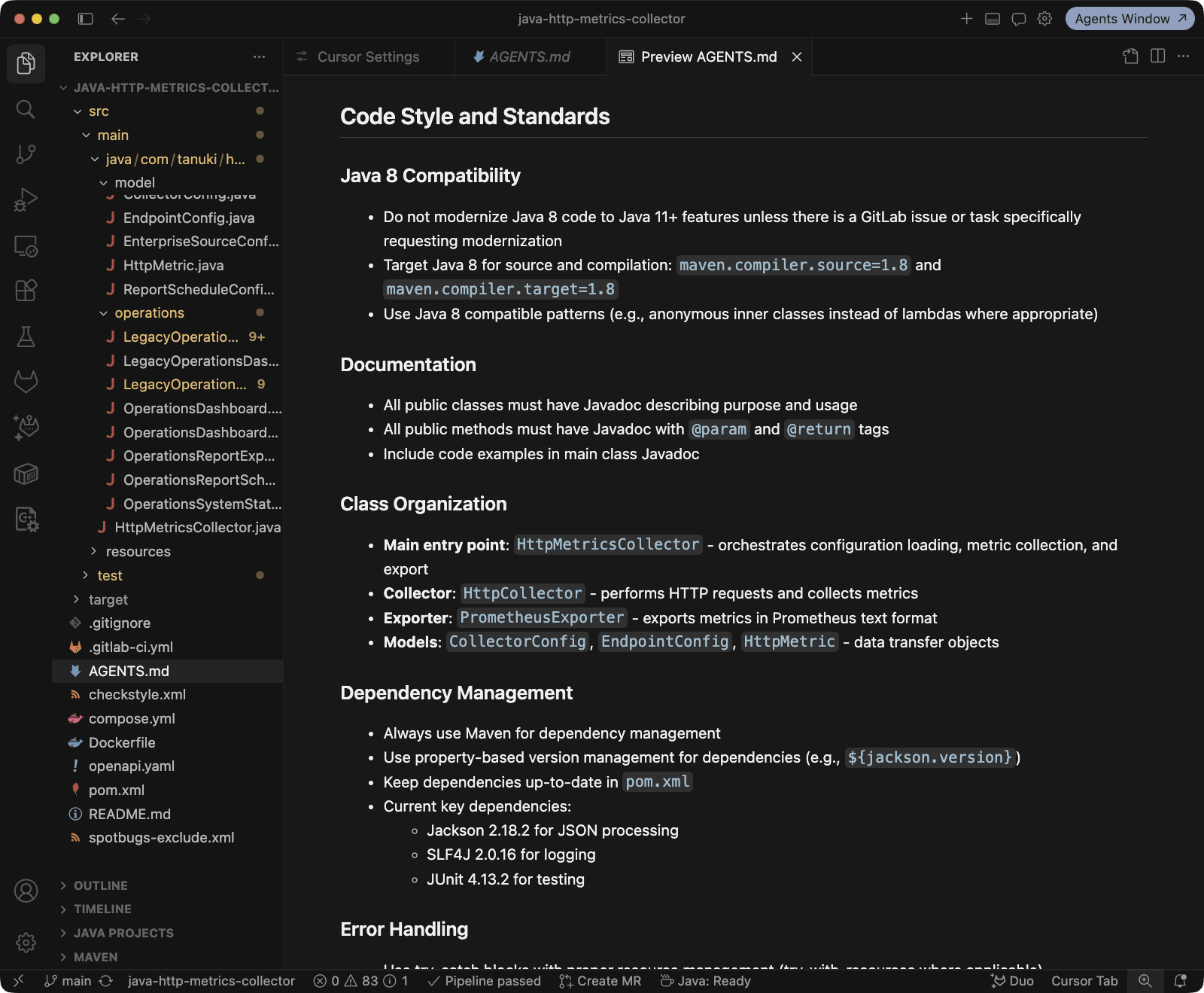
The project includes an AGENTS.md file with repository instructions and Maven commands. Cursor can use these local instructions to understand how the project is organized and how changes should be tested.
Fix a failing end-to-end test with Cursor
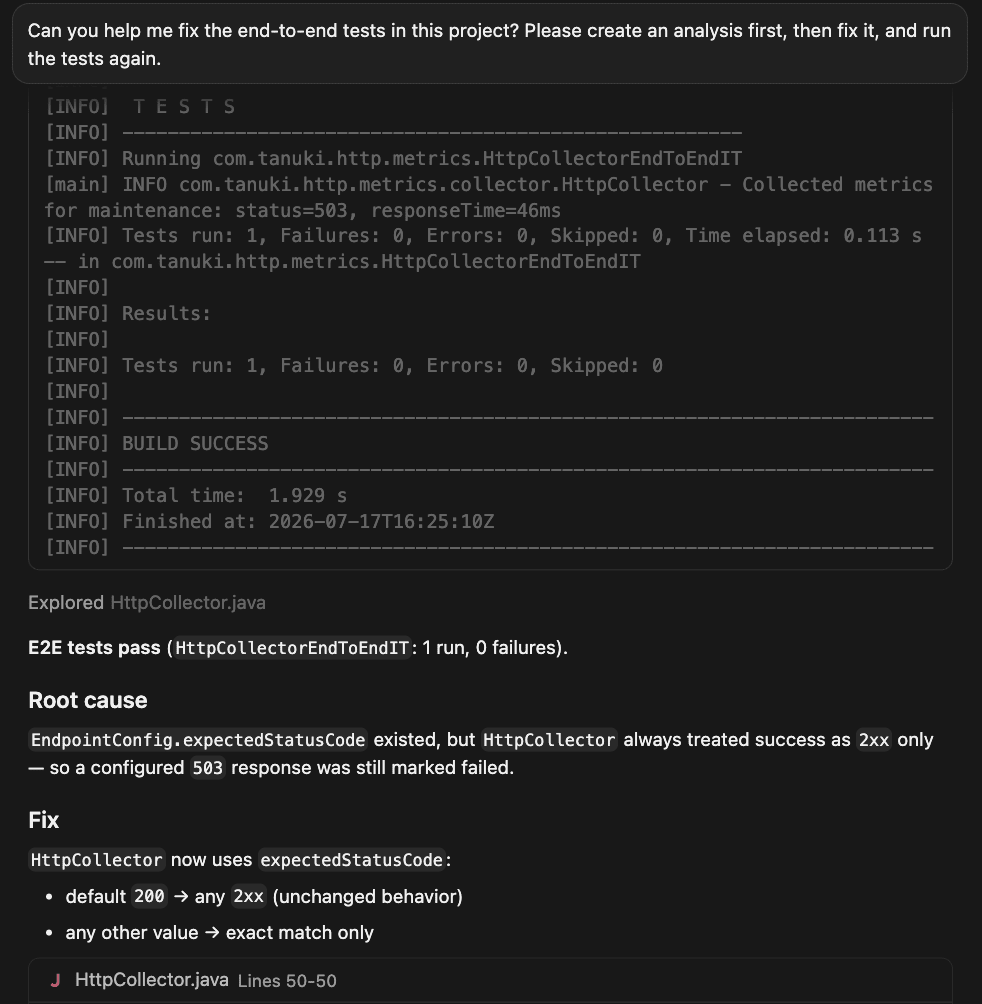
The collector allows users to configure the HTTP status code they expect from an endpoint. The implementation, however, treats every 2xx response as successful, and 503 errors would always fail even when configured as expected.
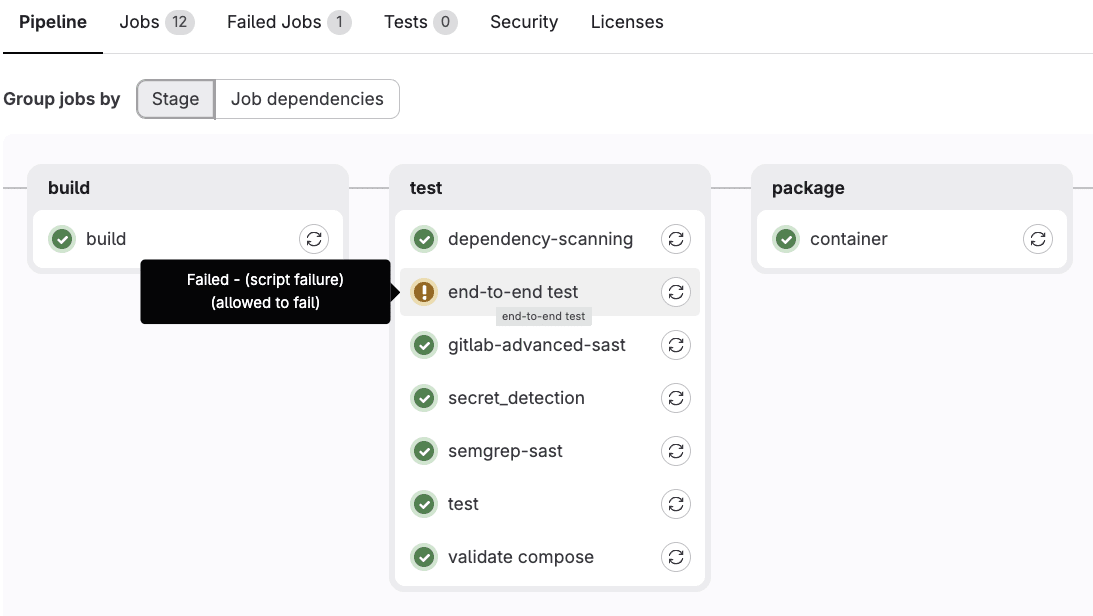
The end-to-end test already exposes this mismatch, but the CI/CD job is allowed to fail. That has turned a useful signal into accepted background noise.
Reproduce and fix with Cursor
The problem can be reproduced locally. Open the Cursor IDE with a new chat, and start by describing the observable problem directly in the prompt:
Can you help me fix the end-to-end tests in this project? Please create an analysis first, then fix it, and run the tests again.
Cursor starts by tracing the endpoint configuration into HttpCollector and the failing end-to-end test, and identifies the root cause.
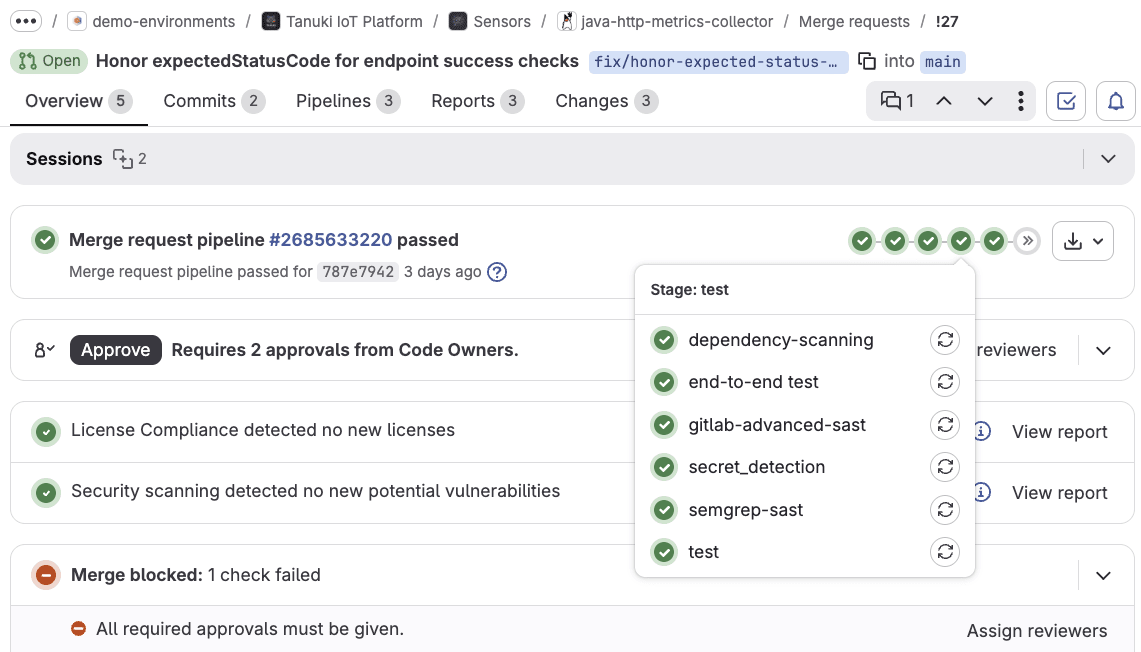
After the focused tests and the full Maven test suite pass, create a branch and merge request. The previously allowed-to-fail end-to-end job can become required when it is deterministic and green.
Can you create a git branch and merge request?
Review and merge
The merge request automatically triggers CI/CD build and tests, and security scanning.
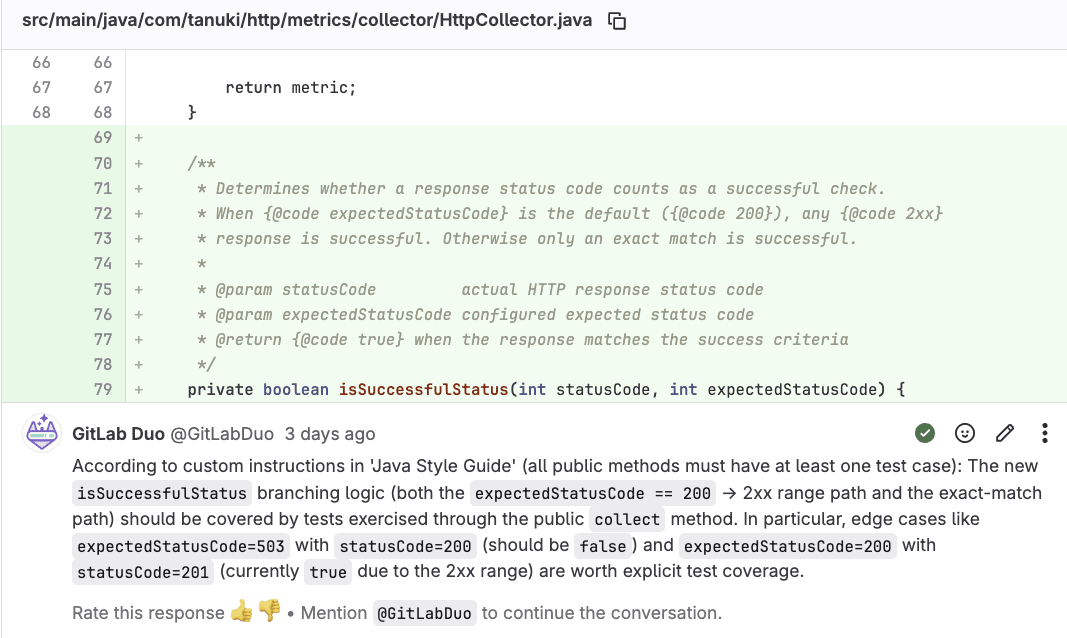
GitLab Duo Code Review then reviews the focused change using the project's Java-specific review instructions.
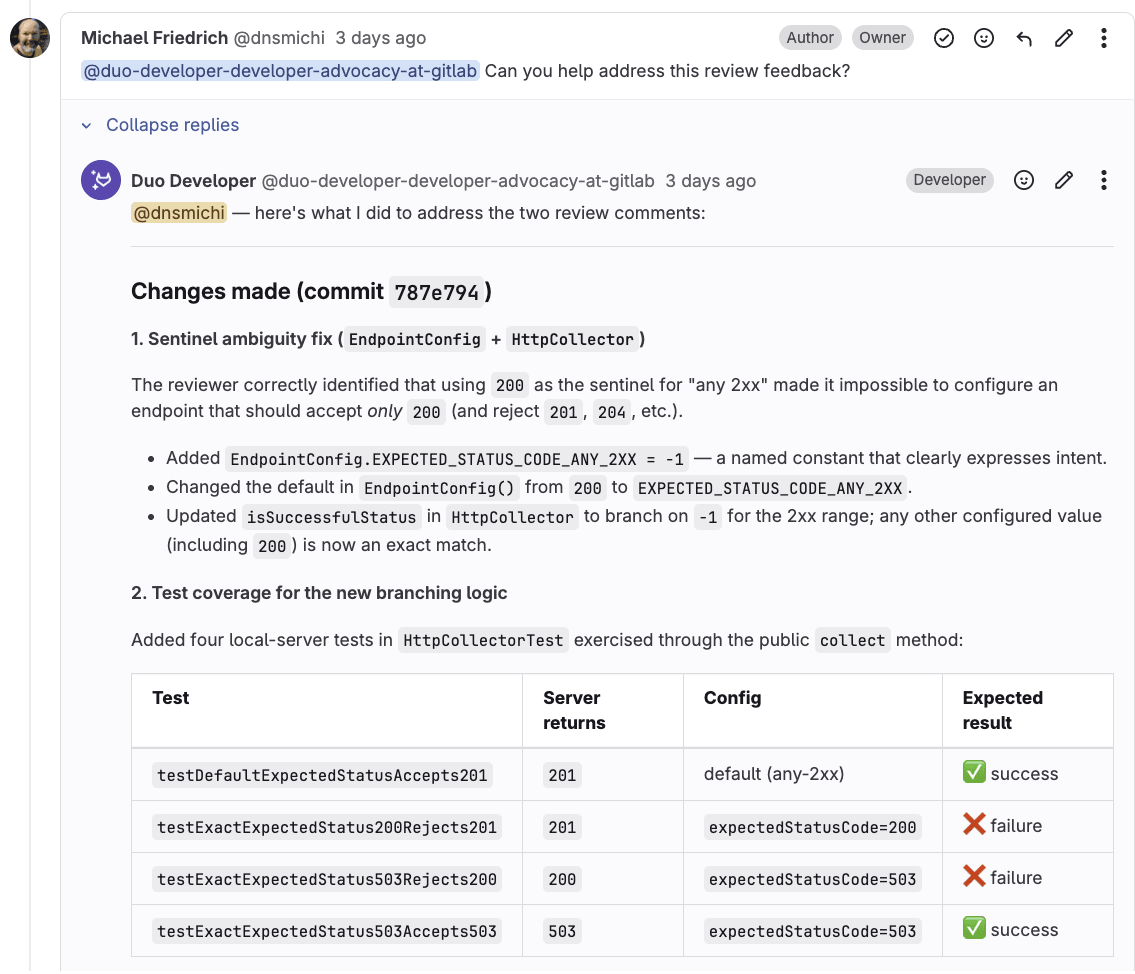
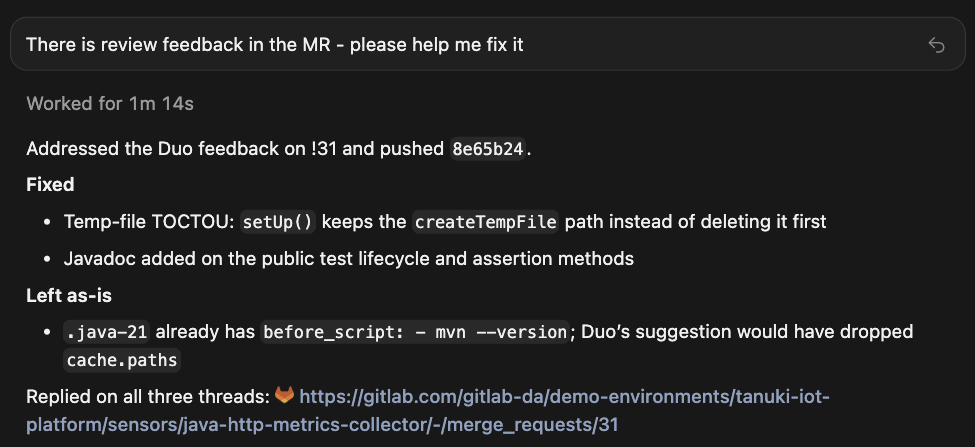
When the review identifies a concrete problem, we address it through the Developer Flow before merging. That is the point: Code Review Flow ensures every agent-created merge request meets the same bar as any other, regardless of how fast Cursor produced it. The merge request remains the collaboration and decision surface.
The fix gives us a behavioral baseline. We corrected a real bug without mixing it with a runtime migration, and the tests now protect the expected-status contract during the modernization work that follows.
Watch this video to learn how Cursor investigates and fixes the expected end-to-end tests:
Prepare quality gates for Java 21 modernization
The first fix worked with repository context alone. The next request is much larger: Modernize the collector from Java 8 to Java 21.
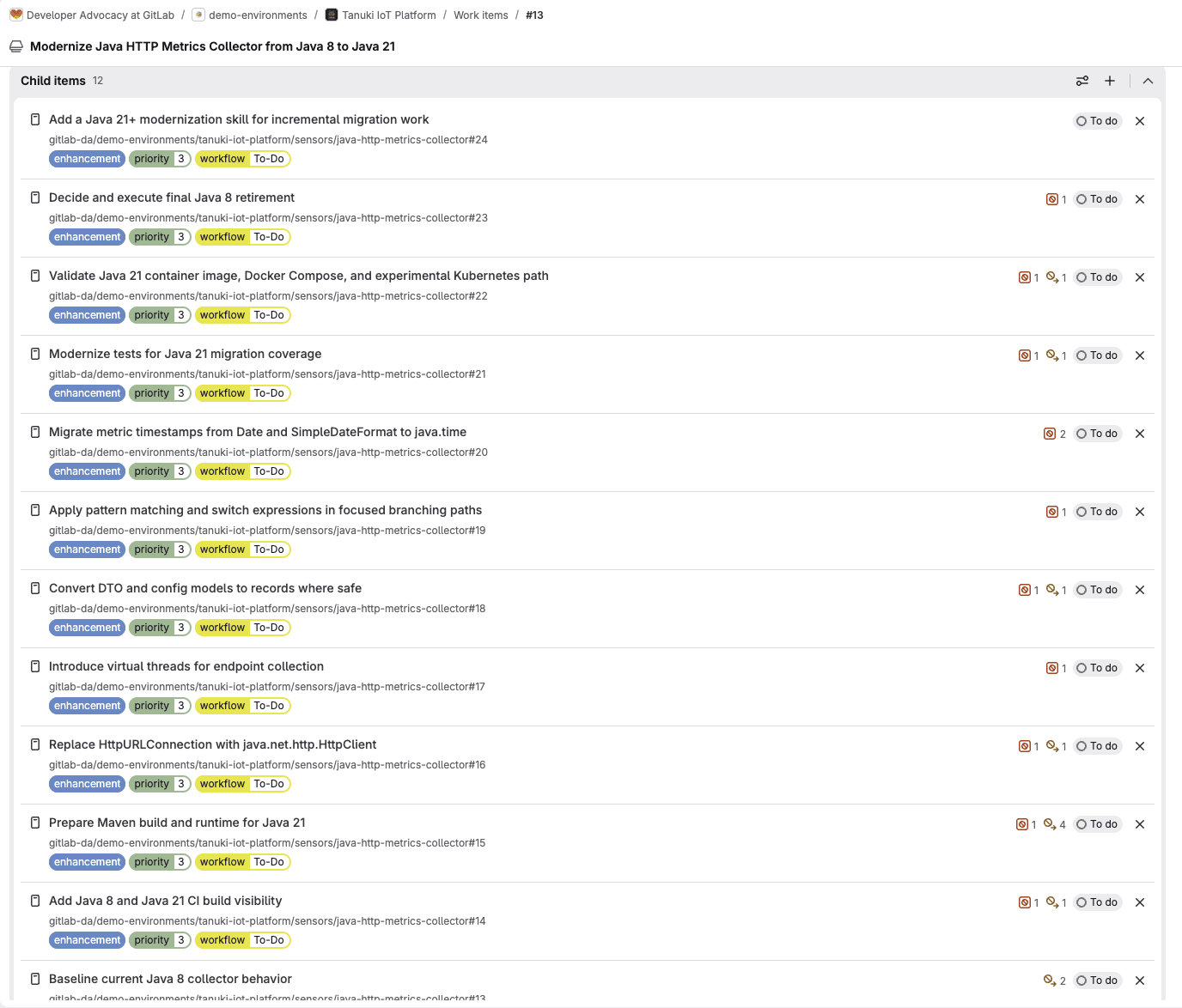
That work already has planning context in the Java modernization epic: child work items, team discussions, research with merge requests, pipeline history, dependencies, and security findings. Those details do not live in the local checkout. Instead of copying all of them into one enormous prompt, we can bring the GitLab context into Cursor with MCP.
Configure the GitLab MCP server in Cursor
Ensure that the GitLab MCP server is enabled on your instance or top-level group. Cursor uses HTTP transport to connect directly without additional dependencies.
In Cursor, go to Settings > Cursor Settings > Tools & MCP.
Under Installed MCP Servers, select New MCP Server.
Add the following definition to the mcpServers key in the opened mcp.json file. For GitLab.com, replace <gitlab.example.com> with gitlab.com. For GitLab Self-Managed or Dedicated, use your GitLab instance URL.
Save the file and wait for the OAuth authorization page to open in your browser. If it does not open, close and restart Cursor.
Review and approve the authorization request in your browser.
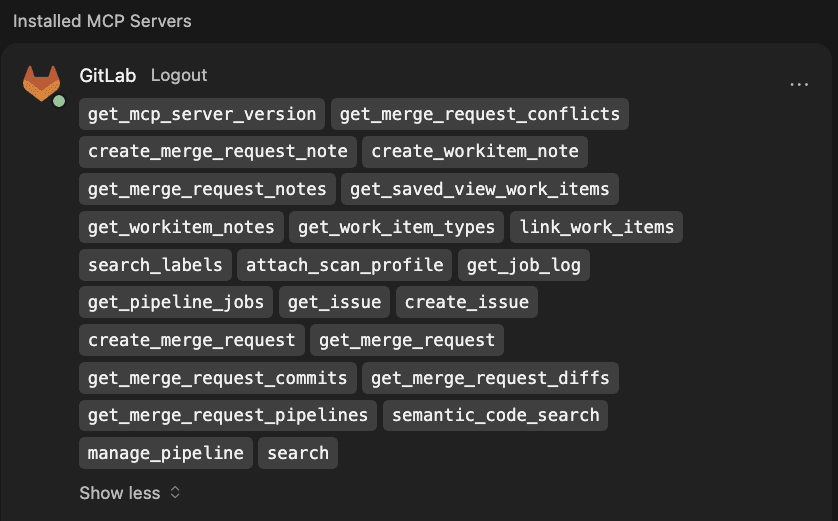
Return to Cursor and inspect the listed tools.
You can now start a new chat and ask a question based on the available GitLab MCP tools.
When Cursor authenticates with GitLab MCP, it acts with your existing GitLab identity. It can only access projects and resources that you can already access. MCP brings approved context into the IDE; it does not bypass GitLab permissions.
Prepare the environment for Java 21 modernization
The Java 8 to 21 modernization epic breaks down the necessary plan into smaller iterations, each artifact and change being testable on its own.
The first step is to ensure that the CI/CD infrastructure tests both Java 8 and 21, in parallel. Increasing the test coverage from the beginning into each modernization task is mandatory, too.
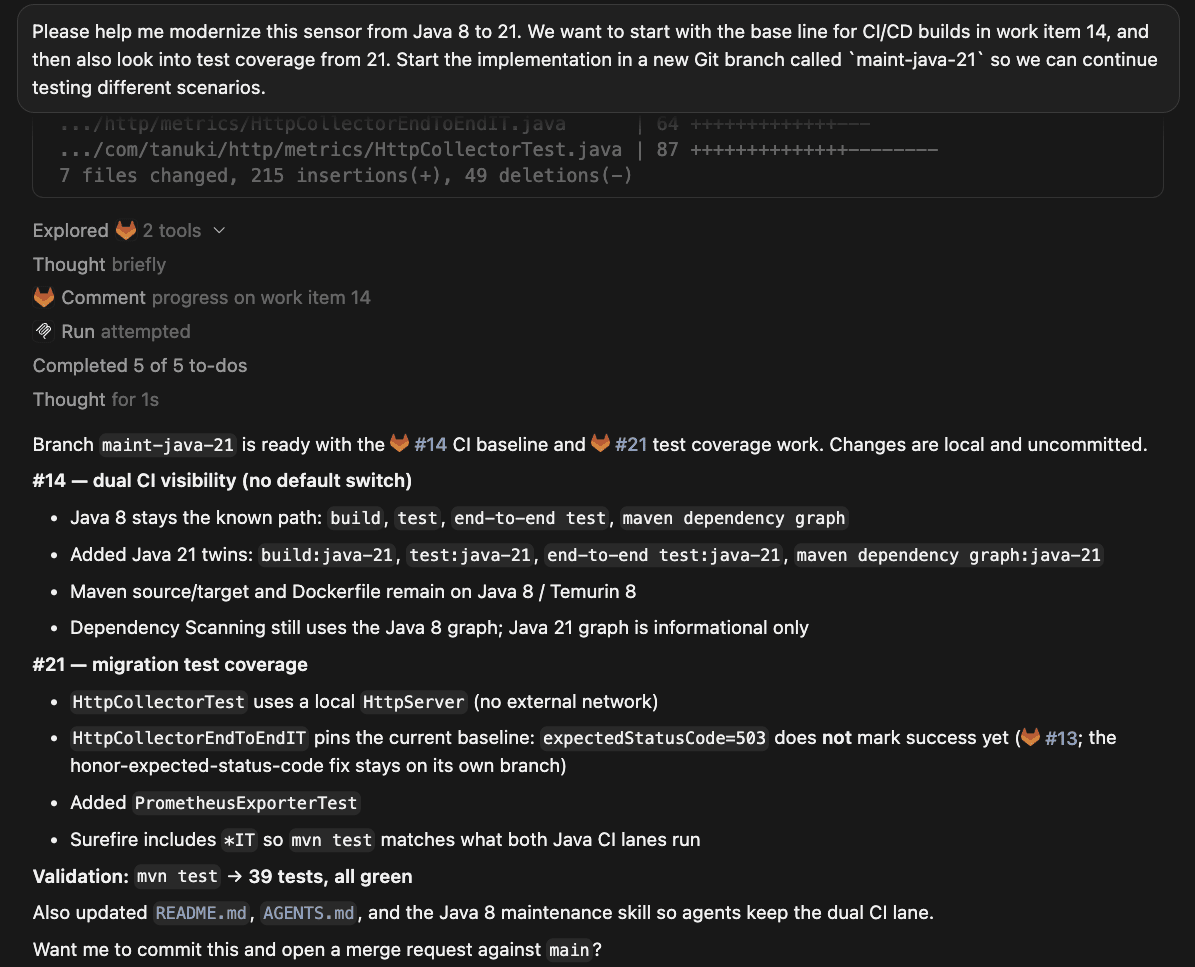
Open the Cursor IDE, and use the following prompt to fetch the planning context:
Please help me modernize this sensor from Java 8 to 21. We want to start with the base line for CI/CD builds in work item 14, and then also look into test coverage from 21. Start the implementation in a new Git branch called `maint-java-21` so we can continue testing different scenarios.
After finishing the work on the CI build visibility issue, Cursor can use the create_workitem_note MCP tool to add a summary comment into the issue, too.
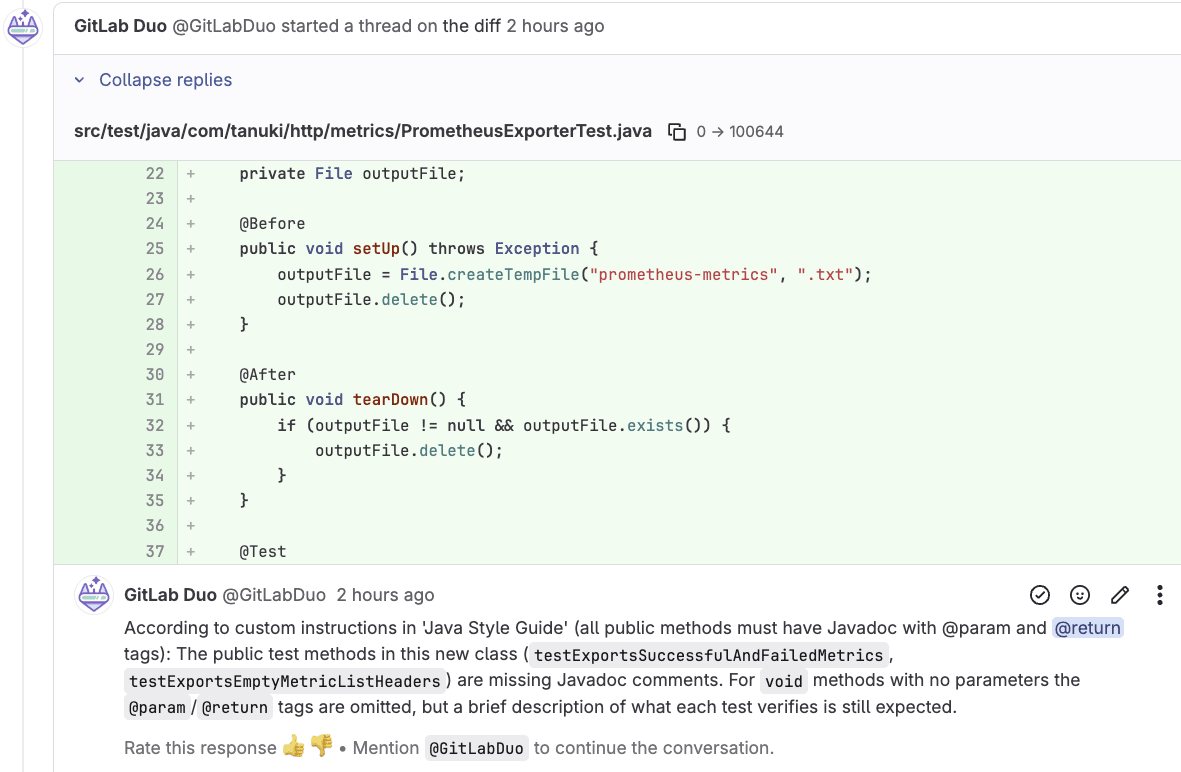
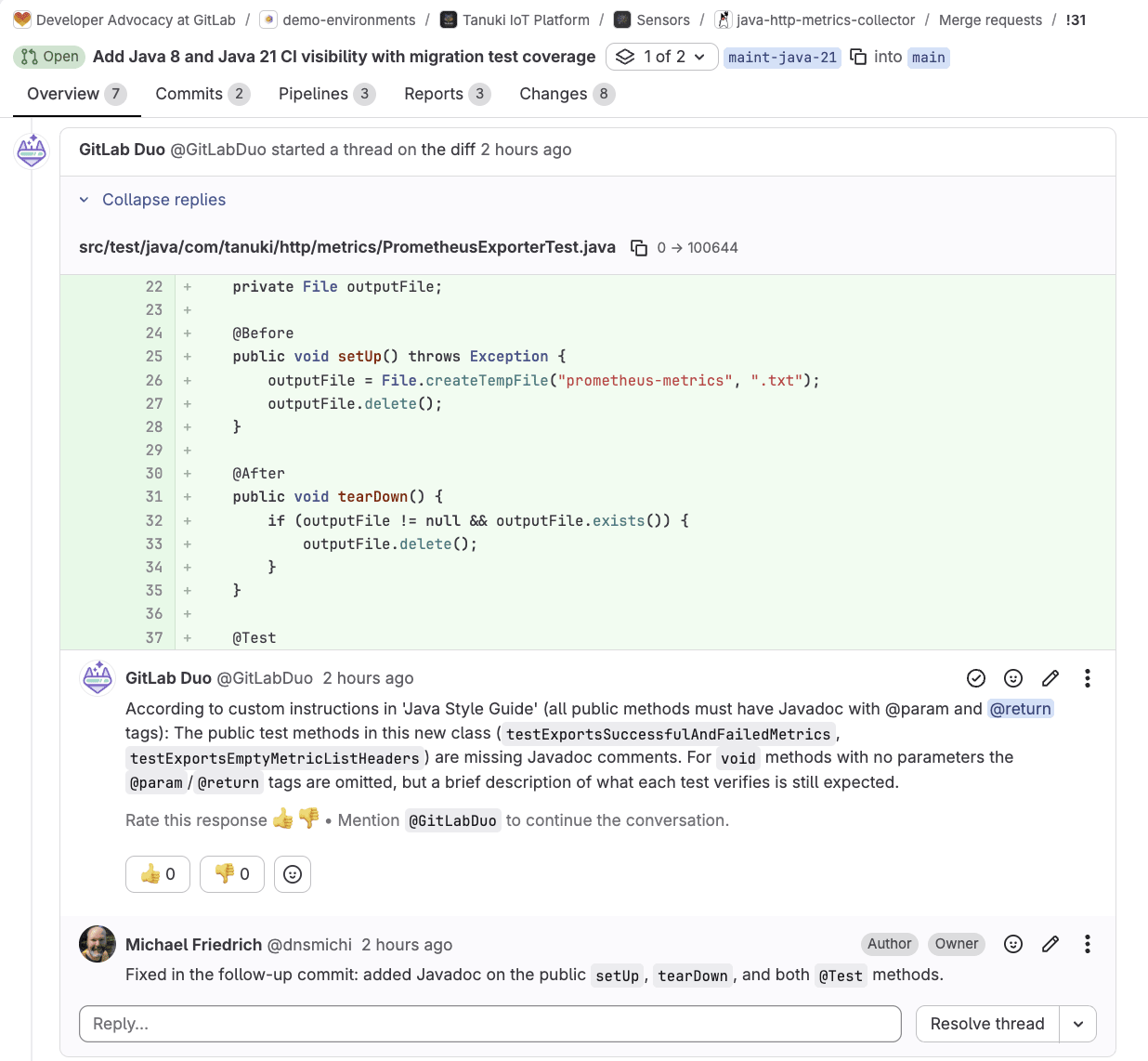
The new merge request triggers CI/CD pipelines, and also the Code Review Flow, which leaves comments about the development style guide requiring documentation.
We can immediately address the feedback in the GitLab UI by mentioning the Developer Flow's service account.
@duo-developer-<group-name> Can you help address the review feedback?
This prompt starts a new background session, and we can focus on other tasks meanwhile. Alternatively, we can change back into the Cursor IDE and prompt its chat to address the review feedback in the merge request.
Cursor implements the changes, and adds comments into the merge request threads using the create_merge_request_note MCP tool.
The change keeps the temporary Java 8 baseline and adds distinct Java 21 build and test validation. This change makes compatibility visible in the pipeline before the source starts using Java 21-only APIs. Once these quality gates exist, every subsequent agent-driven change is reviewed, tested, and traceable. That is the same standard we apply to any other merge request, and it is what makes it safe to let Cursor move fast.
Watch this video to learn how Cursor uses GitLab MCP to prepare quality gates and address code review feedback:
Modernize HTTP connection handling with Java 21
The Java HTTP metrics collector currently uses the legacy HttpURLConnection API from Java 8. Java 21 modernized the HTTP library with java.net.http.HttpClient, but this is not just a mechanical rename. Redirects, restricted headers, timeout scope, response bodies, interruption, and connection reuse can all behave differently. That is why the implementation lives in one bounded work item: Replace HttpURLConnection with java.net.http.HttpClient. Let's put that into practice.
Open the Cursor IDE with a new chat, and ask to implement the changes.
Note: For this use case, we want to use a local Docker compose setup to verify the changes. If you want to reproduce the behavior, install Docker and Docker compose, otherwise remove the second prompt.
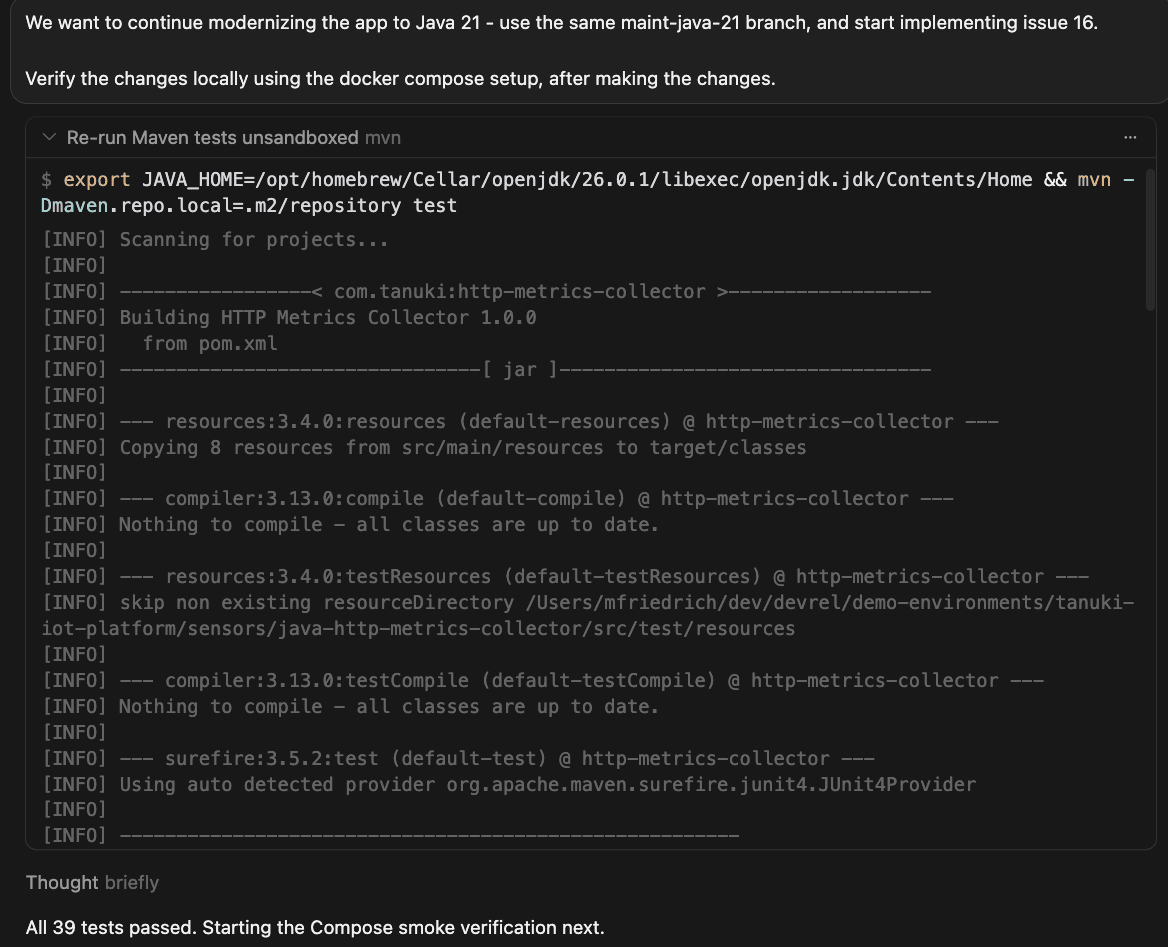
We want to continue modernizing the app to Java 21 - use the same maint-java-21 branch, and start implementing issue 16.

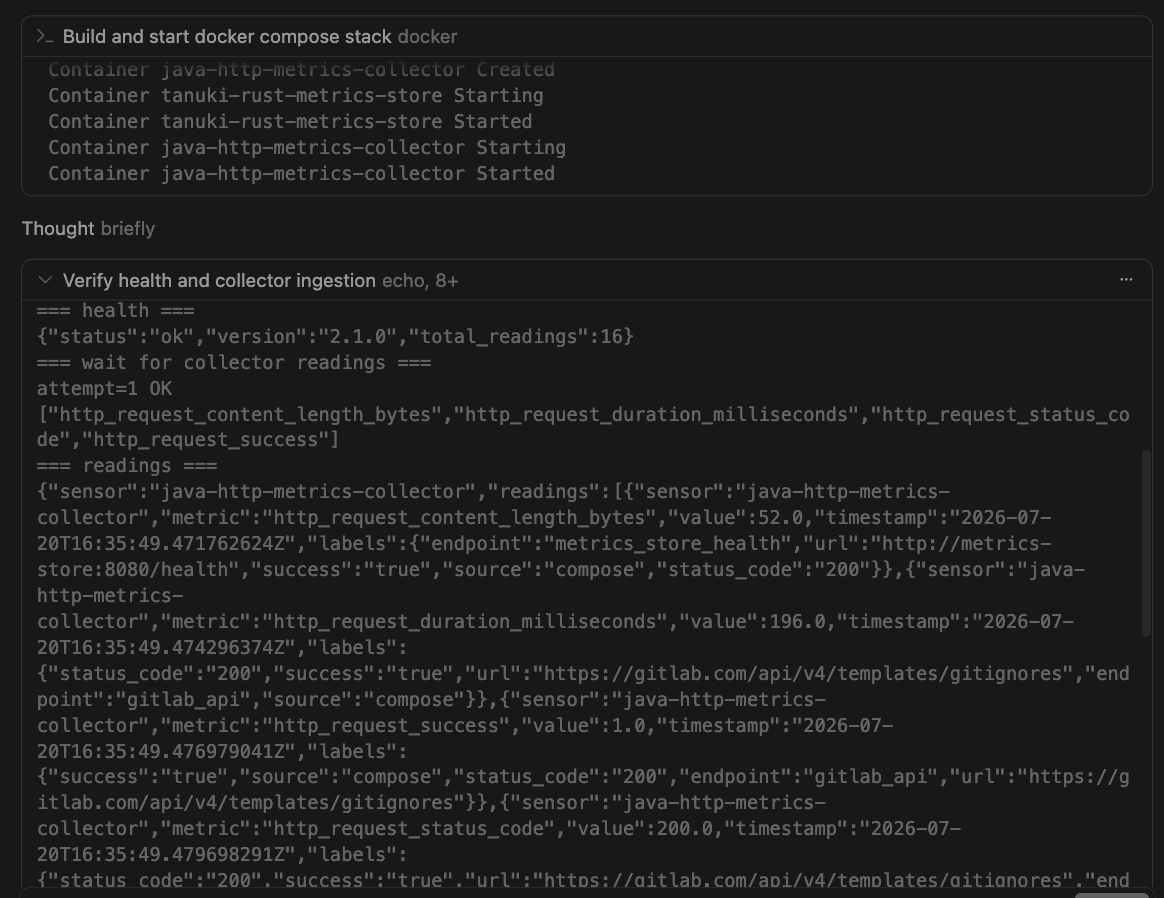
Verify the changes locally using the docker compose setup, after making the changes.
The GitLab MCP server provides the issue context, acceptance criteria, dependencies, and related discussions. The first code modernization issue remains deliberately synchronous and limited. It replaces HttpURLConnection with one reusable HttpClient and does not add virtual threads, change the time model, or remediate unrelated dependencies. Those are valuable follow-ups, but combining them would make behavior changes harder to isolate, review, and roll back.
Implement and verify locally
Focused local HTTP server tests cover methods, headers, expected and unexpected status codes, redirects, timeouts, response metadata, connection failures, and interruption.
The Docker Compose functional test then proves that authenticated readings still arrive in the rust-metrics-store backend.
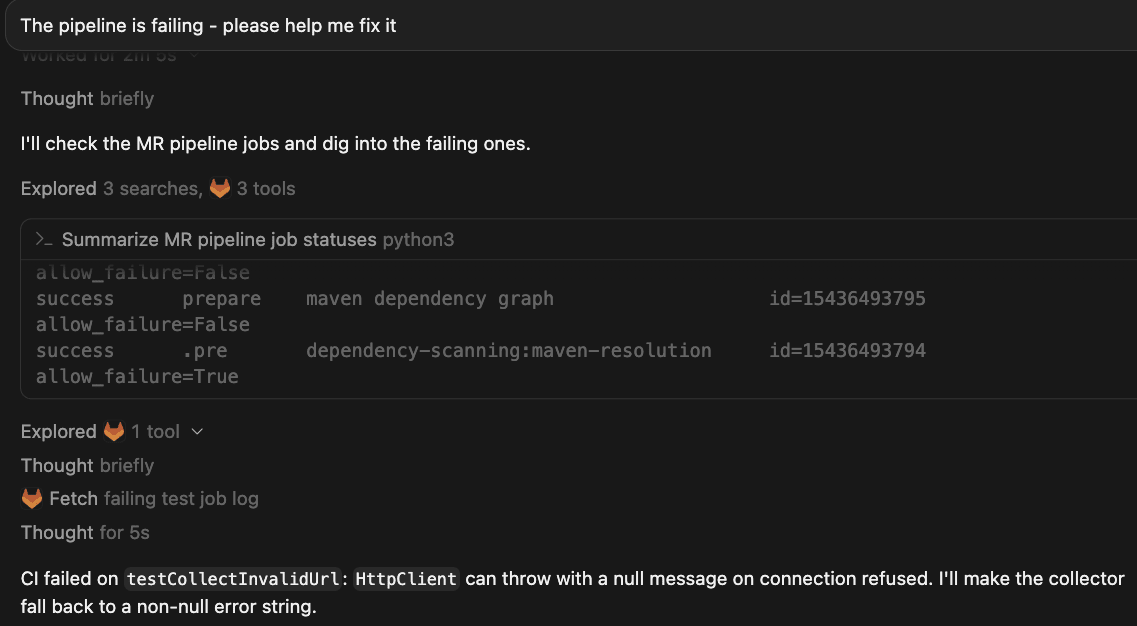
If the CI/CD pipelines are failing after the changes, leverage the GitLab MCP server tools to inspect and fix directly in the Cursor IDE without context switching.
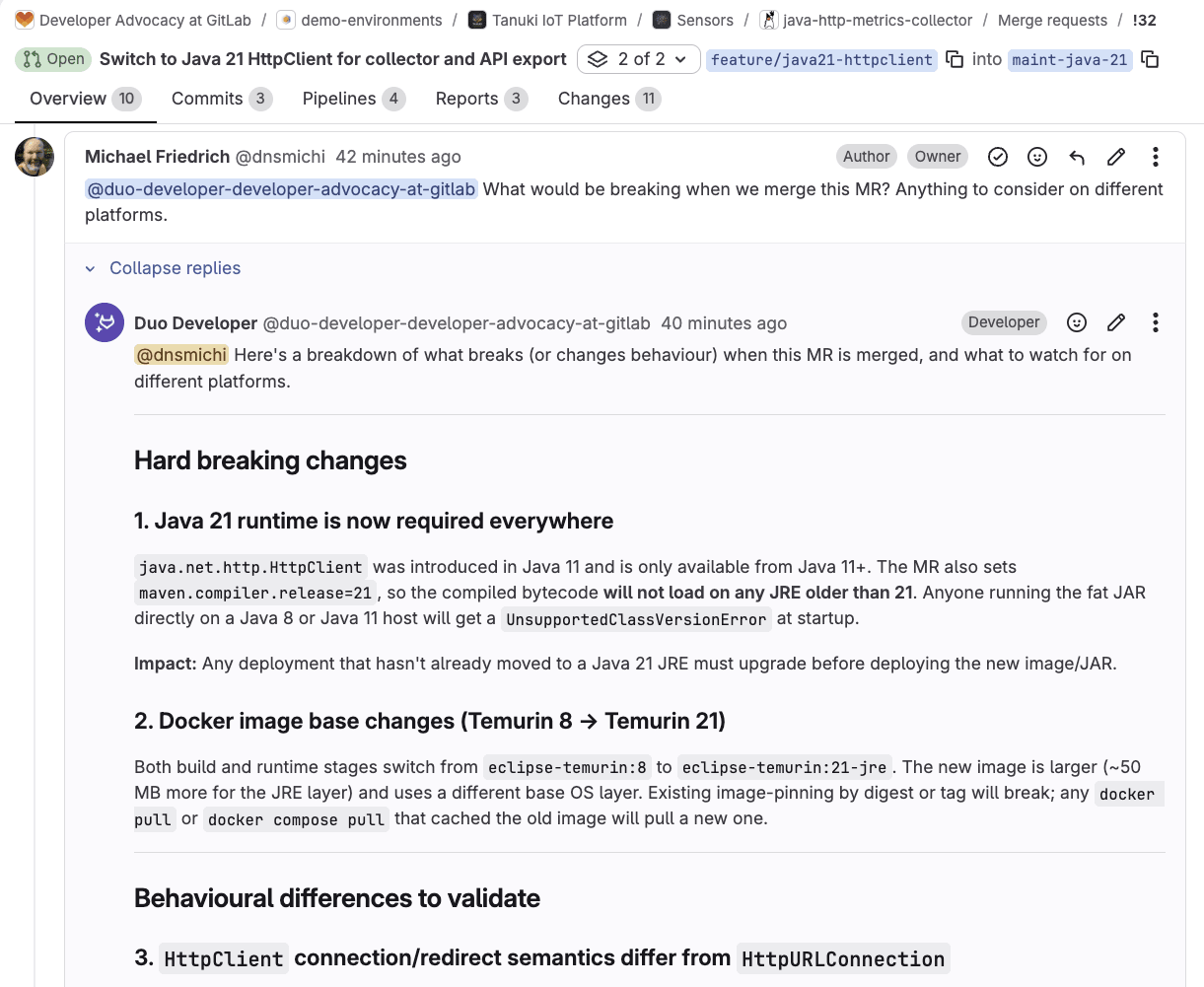
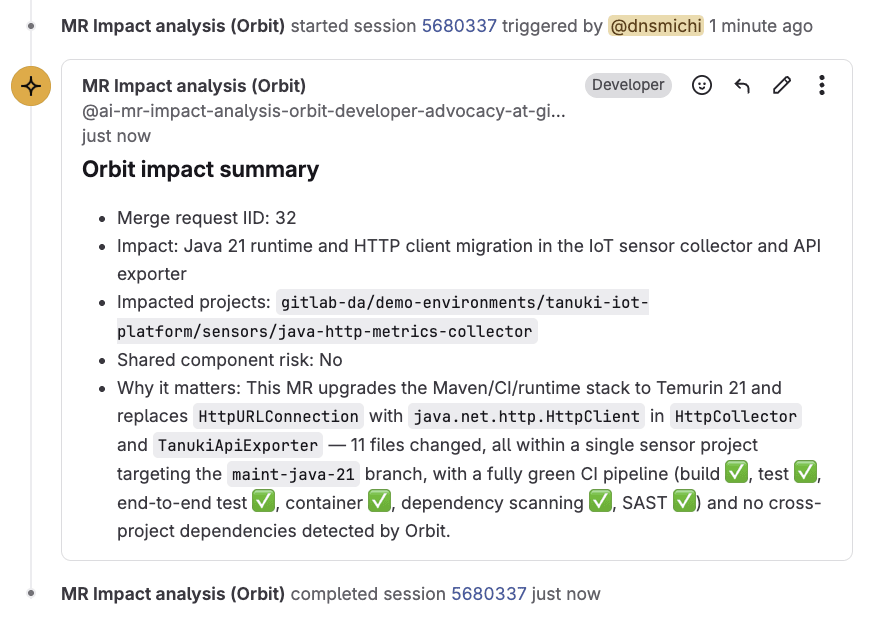
GitLab CI/CD, GitLab Duo Code Review, security scanning, and AI-assisted impact analysis provide the final evidence in the merge request. Human review still matters most at the subtle boundaries: Any intentional behavior difference should be explicit in the merge request, not discovered after deployment.
Watch this video to learn how Cursor and GitLab modernize the collector's HTTP library to Java 21:
Tips for Cursor and GitLab
Here are some tips to use Cursor and GitLab together.
Automate impact analysis for modernization breaking changes
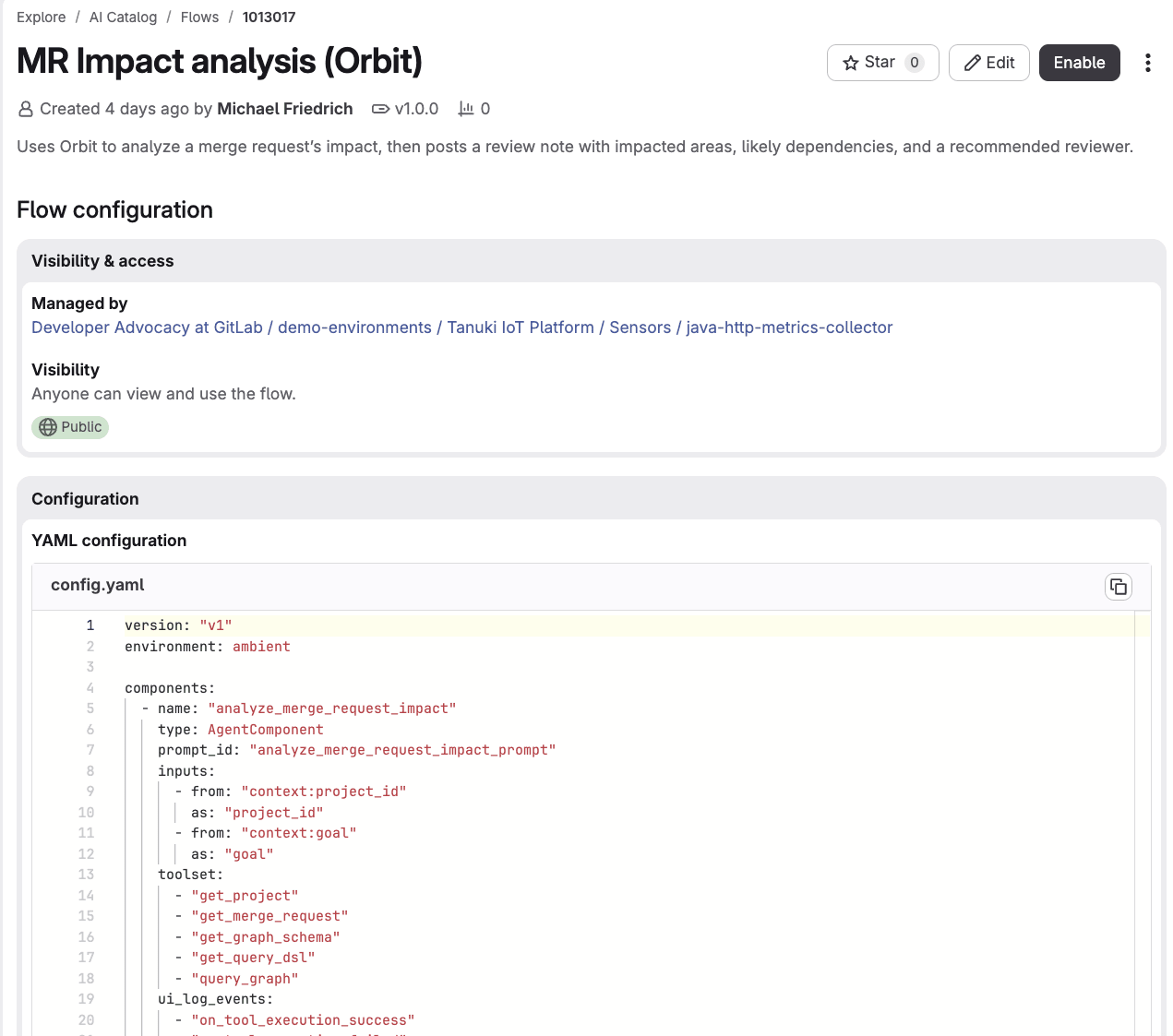
The third use case shows the Developer Flow conducting a breaking change impact analysis. You can turn this workflow into an automated custom flow that gets triggered when a merge request is ready, or the pipeline is OK. Additional context can be retrieved from GitLab Orbit, which provides a context graph across code, work items, merge requests, vulnerabilities, and more.
You can start inspecting the example flow in the AI Catalog: MR Impact analysis (Orbit). Thanks to my teammate Fatima Sarah Kalid for the inspiration. Custom flows are generally available in GitLab 19.2.
Document guidelines and boundaries for agents
AGENTS.md for Java
An AGENTS.md file helps Cursor and other coding agents understand the project architecture, commands, code style, testing expectations, and boundaries. Keep these instructions close to the code and make them concrete enough to verify.
# Java HTTP Metrics Collector - Agent Instructions

## Overview

The Java HTTP Metrics Collector is a REST API metrics collection sensor for the Tanuki IoT Platform. It monitors HTTP endpoints, collects performance metrics (response time, status codes, content length), and exports them in Prometheus text format. The application runs continuously with configurable collection intervals and supports concurrent endpoint monitoring.

## Code Style and Standards

### Java 8 Compatibility

- Do not modernize Java 8 code to Java 11+ features unless there is a GitLab issue or task specifically requesting modernization
- Target Java 8 for source and compilation: `maven.compiler.source=1.8` and `maven.compiler.target=1.8`
- Use Java 8 compatible patterns (e.g., anonymous inner classes instead of lambdas where appropriate)

### Documentation

- All public classes must have Javadoc describing purpose and usage
- All public methods must have Javadoc with `@param` and `@return` tags
- Include code examples in main class Javadoc

### Class Organization

- **Main entry point**: `HttpMetricsCollector` - orchestrates configuration loading, metric collection, and export
- **Collector**: `HttpCollector` - performs HTTP requests and collects metrics
- **Exporter**: `PrometheusExporter` - exports metrics in Prometheus text format
- **Models**: `CollectorConfig`, `EndpointConfig`, `HttpMetric` - data transfer objects

### Dependency Management

- Always use Maven for dependency management
- Use property-based version management for dependencies (e.g., `${jackson.version}`)
- Keep dependencies up-to-date in `pom.xml`

### Error Handling

- Use try-catch blocks with proper resource management (try-with-resources where applicable)
- Log errors using SLF4J Logger
- Gracefully handle configuration loading failures
- Implement proper shutdown hooks for resource cleanup

### Concurrency

- Use `ExecutorService` for concurrent HTTP requests
- Thread pool size is limited to the minimum of endpoint count and 10
- Properly shutdown executor service with timeout handling
- Use `Future` objects to collect results from concurrent tasks
# Custom instructions for GitLab Duo Code Review

instructions:
  # General guidelines

  - name: Code Review
    instructions: |
      1. Focus on correctness and performance
      2. Ensure code comments and documentation are clear and concise
      3. Be respectful and constructive in comments

  - name: CI/CD Configuration
    fileFilters:
      - ".gitlab-ci.yml"
    instructions: |
      1. Do not use YAML anchors
      2. Always use rules in jobs, avoid using `only`

  # Java style guide

  - name: Java Style Guide
    fileFilters:
      - "**/*.java"
    instructions: |
      1. Do not modernize Java 8 code to Java 11+ features, unless there is a GitLab issue or task specifically requesting modernization
      2. All public classes must have Javadoc describing purpose and usage
      3. All public methods must have Javadoc with @param and @return tags
      4. Include code examples in main class Javadoc
      5. All public methods must have at least one test case
      6. Use httpbun.com for test endpoints (status codes, delays, JSON responses)
In the process of modernizing the code, the first guideline with Java 8 enforcement will need to be updated.
Turn a proven workflow into an agentic skill
When a specialized workflow becomes repeatable, capture it in an agentic skill. Skills are loaded on demand, not populating the context window by default.
Start with working CI/CD, tests, and reviewed decisions so the agentic skill reflects proven practice rather than an untested plan. Issue 24 in the modernization epic captures the approach in a focused Java 21+ modernization agentic skill. This adds value beyond the current merge request: Future agent sessions can reuse the same safety boundaries instead of reconstructing them from earlier discussions.
---
name: java21-modernization
description: >-
  Guide incremental Java 8 to Java 21+ modernization for the HTTP metrics
  collector. Use when a GitLab work item asks for Java 21 CI visibility,
  runtime/image upgrades, HttpClient migration, dependency or source API
  modernization, or review of maint-java-21 style merge requests. Do not use
  for routine Java 8 maintenance; prefer java8-maven-maintenance instead.
compatibility: Requires Maven, Docker Compose, and access to the owning GitLab work item.
---

# Java 21 Modernization

## Overview

Modernize in small, reviewable steps. The owning work item is authoritative.
Preserve collector → Rust metrics-store behavior unless the issue says otherwise.

Companion skill: `skills/java8-maven-maintenance/` for the Java 8 default path.

## Before editing

1. Read the owning issue/epic, `AGENTS.md`, `.gitlab-ci.yml`, `pom.xml`,
   `Dockerfile`, and affected tests.
2. Record the current baseline:
   - `maven.compiler.source` / `target`
   - default CI image vs any `*:java-21` jobs
   - container base image
   - observable CLI/Compose behavior
3. Classify the change into **one** lane:
   - CI visibility only
   - runtime / image switch
   - source / API modernization
   - dependency upgrade
   - tests / contract checks

Do not combine lanes in one MR unless the work item explicitly requires it.

## Workflow

Copy and track:

```text
Modernization progress:
- [ ] Baseline recorded
- [ ] Scoped to owning work item
- [ ] Target-JDK CI evidence available before JDK-only APIs
- [ ] Java 8 lane preserved until exit criteria say otherwise
- [ ] Unit / IT / Compose checks run
- [ ] MR documents risks, rollback, human decisions
```

## Guardrails

- Do not remove Java 8 compatibility unless the work item authorizes it.
- Do not introduce Java 21-only APIs before target-JDK CI evidence exists.
- Do not mix runtime upgrades with unrelated refactors.
- Do not claim performance wins without measurements.
- Preserve the Java → Rust API and authentication contract.
- Stop for a human decision when support policy, rollback, data format, or downstream compatibility is unclear.

## Validation

```bash
mvn -Dmaven.repo.local=.m2/repository test
mvn -Dmaven.repo.local=.m2/repository clean package
```

If Compose or container files change:

```bash
docker compose config --quiet
TANUKI_INGESTION_TOKEN=replace-me docker compose up -d --build
# confirm metric_sample logs and authenticated ingest still work
docker compose down -v
```

## Completion report

In the MR description, include:

1. Baseline before the change
2. Lane changed (CI / runtime / source / deps / tests)
3. Evidence run (commands + CI jobs)
4. Remaining risks and rollback
5. Human decisions still open

## Out of scope

- Broad "modernize everything to Java 21" prompts
- HTTP endpoint semantics unrelated to the JDK migration
  (use `skills/http-endpoint-collector-behavior/`)
- Security triage unrelated to the migration slice
  (use `skills/security-triage-java-sensor/`)
Summary
The three use cases in this tutorial build on each other. Cursor fixed an accepted end-to-end test failure using repository context alone. Then the GitLab MCP server brought in the modernization plan, so Cursor could put quality gates in place and close the loop on Duo review feedback directly from the IDE. Finally, Cursor made one bounded Java 21 change, replacing HttpURLConnection with a reusable HttpClient, backed by focused tests, cross-service ingestion runs, pipeline, security scans, software bill of materials, review evidence, and impact analysis.
A legacy Java 8 codebase does not get safer to modernize just because an agent is writing the code. It gets safer because every change is scoped, reviewed, tested against Java 8 and Java 21, and traceable back to a work item with the decisions and evidence behind it. Cursor handles the implementation. GitLab handles the proof. Together, they make the migration something a team can trust.
If you want to try this workflow, start with one test that exposes an accepted failure in a legacy application. Make that test reliable, capture the larger modernization plan in GitLab, and choose one boundary you can change and prove independently. That gives the agent a focused task and gives the team evidence they can review.
If you are not using GitLab Duo Agent Platform today, you can start with a free trial.
If you are already using GitLab in the free tier, you can sign up for GitLab Duo Agent Platform by following a few simple steps.
And if you are an existing subscriber to GitLab Premium or Ultimate, you can get started simply by turning on Duo Agent Platform and start using the GitLab Credits that are included with your subscription.
]]>Michael Friedrichhttps://about.gitlab.com/blog/authors/michael-friedrich/2026-07-22T00:00:00.000Z<![CDATA[Automate work item assignment with a "Work item created" trigger]]>https://about.gitlab.com/blog/how-to-use-a-work-item-created-trigger/2026-07-20T00:00:00.000ZA new, event-driven trigger in GitLab Duo Agent Platform lets flows fire the moment a work item is created, turning triage and assignment from a manual, all-day chore into automation that runs in seconds. This comprehensive guide shows you how to use the "Work item created" trigger and follow along with this video demonstration:
See the flow fire, route, and assign in real time — and imagine what continuous, hands-off automation could do for your own projects.
The problem: Assignment doesn't scale by hand
Assigning work manually across projects is harder than it looks. It's not just a single decision; it’s dozens of them, every single day. For every new issue that pops up, someone has to pause, check team capacity, balance current workloads against incoming tasks, and then decide where that item should go. Factor in meetings, breaks, or PTO, and the whole process can lengthen even more. While this works at a small scale, it quickly falls apart as volume grows, leading to delayed triage, uneven work distribution, and team leads burning their time on routing tasks rather than tackling higher-value work.
Until recently, that friction was baked into how flows worked. Every GitLab Duo Flow required a human action in the UI (e.g. a mention, an assignment, or an assign-reviewer event) to get started. Driving flows programmatically or firing them the instant something happened wasn't possible without someone manually pulling the trigger. So even a well-built assignment flow still waited on a person to kick it off.
How the "Work item created" trigger helps
The "Work item created" trigger closes that gap. It fires automatically the moment a new work item is created in a project, with no manual handoff required. Instead of a person noticing the issue, evaluating the team’s workload, and assigning it, a flow springs into action on its own and does the routing for you. With triggers, flows run when the conditions your organization defines are met — continuously, in the background — while your developers stay focused on the work that actually requires judgment.
Value and benefits
The "Work item created" trigger is beneficial in the following ways:
Instant, hands-off triage
Assignment and routing happen the second a work item is created, not whenever someone gets around to it.
Scales to any volume
Whether it's one issue or hundreds, the trigger handles them all in seconds without adding to anyone's workload.
Smarter, balanced assignment
The flow can weigh each team member's current load and availability before assigning; the same judgment a person would apply, applied consistently.
Frees your team from busywork
No more manually sorting through open work items to decide who has capacity; an agent makes the call with the same information you would.
Automatic assignment in action: A step-by-step tutorial
To make this concrete, let’s walk through a real scenario using a project called Intra-account-transfers.
1. The trigger configuration
We've created a flow named "Work item assigner" and enabled it to run whenever a work item is created in that project.
2. How the flow is built
The "Work item assigner" flow uses two agents, each with its own detailed prompt spelling out the process to follow and the tools to use. The first agent uses GitLab Orbit to determine the current workload of each resource across the organization. GitLab Orbit is the lifecycle context graph for software engineering that makes AI agents in Duo Agent Platform faster and more accurate.
The second agent identifies the person who is least loaded with open work items and assigns the new item to them.
Because the assignment logic lives inside the flow, the trigger is all that's needed to set the whole process in motion.
3. Watching the trigger fire
3.1. We create a brand-new work item.
3.2. The moment the issue is created, the trigger fires and the "Work item assigner" flow starts on its own. From the flow activity log, you can follow its progress step by step: The first agent pulls the project information and uses GitLab Orbit tools to count each user's open work items across the top-level group,
The second agent then identifies the least-loaded teammate — in the demo, that's William — and carries out the actual assignment.
4. Verifying issue has been assigned to least loaded individual
A quick trip back to the issue confirms it: The new work item has been assigned to William, automatically.
5. The benefit, seen end to end
The point this scenario drives home is the shift in who does the work. Instead of a person sorting through open work items to figure out who has capacity and then assigning the issue by hand, GitLab Duo Agent Platform's custom flow invoked by the "Work item created" trigger does all of it, in a matter of seconds. It frees the team from a routine decision that an agent can make with the exact same information a human would use, so people can focus their attention where it counts.
6. Extra credit
Potential enhancements to this custom flow could be:
Adding Model Context Protocol (MCP) connectivity to your HR system (or PTO system) so that the agent can be improved to consider resources’ PTO dates when assigning a work item.
Adding MCP connectivity to your resources’ calendars so that the agent can be improved to consider resources’ availability when assigning a work item.
Get started
Assigning incoming work at scale has always been a quiet drain: dozens of small decisions a day, each requiring someone to check workloads and availability before routing an issue — and a process that breaks down as volume grows. The "Work item created" trigger in GitLab Duo Agent Platform removes that bottleneck by firing a flow the instant a work item is created, with no manual handoff. As the step-by-step tutorial above shows, a two-agent flow powered by GitLab Orbit can read the team's real workload and assign each new item to the person best positioned to take it, all in seconds. The result is faster triage, more balanced workloads, and a team that's free to focus on the work that genuinely needs human judgment.
]]>Cesar Saavedrahttps://about.gitlab.com/blog/authors/cesar-saavedra/2026-07-20T00:00:00.000Z<![CDATA[GitLab Transcend Hackathon: What developers built on GitLab Orbit]]>https://about.gitlab.com/blog/gitlab-transcend-hackathon-orbit/2026-07-20T00:00:00.000ZWe gave a few thousand developers GitLab Orbit. Then we got out of the way. The community responded with creative solutions to real production problems slowing down their teams. The same problems you hit every week: What does this change break, which tests actually matter, and what will this migration really cost.
GitLab Orbit is a live, queryable graph of your code, merge requests, pipelines, deployments, and ownership, with every relationship between them kept current. Agents write code well but are bad at understanding the system around it. Answering the connecting questions ("what depends on this," "which tests cover it," "who owns the fallout") used to mean an agent crawling files or an engineer digging across four tools. Orbit turns that into one query. Agents reach Orbit through Model Context Protocol (MCP)
), engineers query it directly, and the answer comes back in seconds instead of hours. The Orbit home page has the full story. We wanted to see what people would build once that was theirs.
The hackathon drew 1,576 registered developers, and they shipped 265 eligible Showcase Track projects built on GitLab Orbit: agents, flows, and skills. Separately, 26 contributors merged 61 improvements straight into the Orbit codebase, adding language support, fixing bugs, and sharpening the docs. The community did not just build on Orbit. It made Orbit better.
The problems people reached for
Before scoring anything, one thing jumped out to us: If we sorted the submissions by what they actually do, the distribution would be lopsided.
Seventy teams built a version of the same tool: Tell me what this change could break before I merge it. More than 30 built onboarding and comprehension aids: The help me understand this codebase problem. After that came incident root-cause, architecture drift, flaky-pipeline diagnosis, and tracing a CVE across repositories.
None of that is random. Engineers ask these questions constantly and answer them poorly because the answers used to be scattered across Git, CI, deploy tooling, and a few dashboards nobody trusts. Put it in one graph, and people go straight for it.
That is orchestration with context, not orchestration alone: speed, with control built in. And when dozens of independent teams reach for the same query without being told to, that is the signal a platform owner should read: The context is where the work actually happens. The bar was high in the crowded categories. Projects stood out by beating 68 other teams, or by going somewhere nobody else did.
Technological implementation
Winner: Sankofa. Three agents, each triggered by a different moment in your day, all reading from GitLab Orbit. Open a merge request and Radar hands you the blast radius: downstream callers, affected pipelines, the team that owns the fallout. Get assigned an issue and Guide writes you a brief before you start. A vulnerability surfaces and Shield traces every path to it. The context arrives where you already are, and then gets out of your way.
"When a security vulnerability gets reported, teams spend days manually tracing how far it reaches, because nothing connects the dots automatically."
Lester K, Sankofa
Shield does it in one pass over the graph.
Runner-up:Stayed Shipped. It asks a question your dashboards cannot answer: Of the changes your AI agents merged last month, how many are still in production? It tracks whether a merged change survives or gets quietly fixed forward by a senior engineer, invisible to every standard metric.
Design and usability
Winner: Carver. Carver prices a legacy migration before you commit to it. You say what you want to move; it reads GitLab Orbit's dependency graph and gives you a quote: how many units, how long, in what order, where the risk hides. What wins this category is the output. Carver gives you one line per unit, sized and risk-flagged, and expands the detail only when you ask. Moving AngularJS to Angular comes back as roughly nine weeks of human effort against ten dollars of generation cost, with the untested load-bearing service marked in red so you know where to look first.
"It checks Orbit and, if it doesn't find the service, it asks where the real code is."
Anes Mulalic, Carver
That is why the agent refuses to invent a number it cannot ground.
Runner-up:Marshal. Same territory, opposite approach: full autonomy. Declare one org-wide goal and it finds every affected repo through GitLab Orbit, sequences the work, and lands merge requests wave by wave, making sure no target drops.
Potential impact
Winner: CrossCut. CrossCut runs only the tests a change could actually break. Open a merge request and it pulls the changed symbols, walks GitLab Orbit's call graph to find the true transitive impact, and builds a pipeline that runs those tests and nothing else. No model in the loop, no guessing, just traversal. On a big or cross-repo suite that trims the CI payload by 90% or more, which pays for itself almost immediately.
"You need the call graph of the whole codebase to know which tests a change can reach. That is exactly what GitLab Orbit builds, so instead of guessing, we just ask the graph."
Pritesh Kumar, CrossCut
Runner-up:OrbitWeaver. It does autonomous refactoring using GitLab Orbit's exact blast radius rather than vector similarity. It maps every affected file and edits them in dependency order, the cleanest argument for why a real graph beats fuzzy retrieval when getting it wrong means a red pipeline.
Quality of the idea
Winner: Transcend. Most teams queried GitLab Orbit directly, which is the right move for most questions. Transcend built a second reasoning engine on top of it using the semantic web stack, OWL, SPARQL, and RDF, to reach the questions the native API cannot express in a single call. Transitive closure. Joins that leave your codebase and pull in the world's structured knowledge. Its demo asks which knowledge-graph-embedding methods a codebase implements, and gets back the class names plus the papers that inspired them, the authors, and the years, joined live to the code. Treating Orbit as a foundation to build on rather than an API to call was genuinely new here, and that is precisely what this category rewards.
Runner-up:Universal Agent OS. It builds the governance layer around agents rather than the agent itself: Interview first, plan before coding, keep the evidence, and force validation. As agents write a larger share of code, keeping them accountable is about to become the real problem. It is the same problem GitLab Orbit's context makes visible everywhere else on this list: Agents move fast, someone still has to answer for what they did.
Contribute Track
The Contribute Track ran alongside the Showcase Track, and it was not peripheral work. Twenty-six contributors merged 61 merge requests straight into the GitLab Orbit codebase: language support for C++20 concepts, Go package declarations, Kotlin coroutines, and Ruby lambdas; ontology fixes; a SIGPIPE bug in CI; the first Orbit query tutorial; and documentation cleanups so the next person does not trip over max_depth versus max_hops. Nineteen earned a cash prize. All 26 earned swag credits.
Cash prizes went to the first 40 merged contributions, so this list is as much about speed as quality. These are the contributors who got a working change reviewed and merged before anyone else. Congratulations to this round's cash-prize winners:
You learn something about a tool by watching what people build with it, before anyone tells them what it is for.
Nobody built a chatbot. The strong submissions all made the same move underneath. They took a question that used to mean an afternoon of digging across four tools. They answered it in one query.
What breaks if I merge this?
Which tests actually matter?
What does this migration really cost?
Is last month's change still alive.
We did not ship those as features. The community found them the moment the graph was in reach. That tells us more about GitLab Orbit than any benchmark could.
The full field is in the project gallery if you want to dig around. Plenty of good projects did not fit into eight slots.
What you can build on GitLab Orbit
Every winner above is one answer to the same question: What can an agent do when it reasons from first-party context across your whole system, instead of guessing from fragments? GitLab Orbit continuously maps your code, work items, merge requests, pipelines, deployments, and ownership into one graph, so agents and engineers draw from a single source of truth. You do not need a hackathon to start. Here are the patterns the community proved out, each grounded in a use case Orbit was built for.
Change-aware delivery: See what a change breaks before you push. Ask GitLab Orbit for every downstream caller of a function, the pipelines it feeds, and the team that owns them, in one query. Sankofa's Radar does this on a merge request; CrossCut takes the same call graph and runs only the tests a change can reach, cutting a CI run by 90%. Catch the hidden dependencies early instead of discovering them at the end of CI.
Safer migrations with full system context. Ask which services depend on the one you want to move, in what order, and where the risk sits. Carver turns that into a priced quote; Marshal drives it repo by repo. Both scope the blast radius from the real dependency graph, so a platform team can commit to a migration date instead of discovering hidden dependents three weeks in.
Fast blast-radius analysis for vulnerabilities. From a vulnerable function, follow the graph to every reachable endpoint, the pipelines that build them, and the teams that own them. Sankofa's Shield does in one pass what used to be a project-by-project correlation exercise across days.
The common thread: The answer was never in the code alone. It is in how code connects to pipelines, deployments, vulnerabilities, and ownership, and GitLab Orbit keeps those connections current so you can ask in a single query. Agents on the GitLab Duo Agent Platform query it natively, external agents connect through MCP, and engineers query the same graph directly through the Data Explorer. One graph, one source of truth, for every agent and every person on the team.
Try GitLab Orbit
To everyone who entered, thank you. If you want to build your own, start with GitLab Orbit on the GitLab Duo Agent Platform: The same context these teams used is already live in your software development lifecycle. We will do this again. Sign up at contributors.gitlab.com to hear about it first.
Already have access to the GitLab Duo Agent Platform and GitLab Orbit and want to see how far you can take it? Apply for Co-Create.
]]>Mattias Michauxhttps://about.gitlab.com/blog/authors/mattias-michaux/2026-07-20T00:00:00.000Z<![CDATA[Turn multi-step software delivery into agentic flows you can trust]]>https://about.gitlab.com/blog/multi-step-software-delivery-with-agentic-flows/2026-07-16T00:00:00.000ZKnowing what to do next in software development is rarely the hard part. Doing it again in the exact same steps — implement an issue, fix a pipeline, review a merge request — is. Chat that only provides answers still leaves every handoff to you. Homegrown scripts don’t inherit changes in access controls, new triggers, or updated review gates. In both cases, the multi-step paths teams rely on continue to stay stuck as runbooks in someone’s head.
GitLab 19.2 closes that gap as Custom Flows reach general availability: AI-powered workflows you define once, trigger from native GitLab events, and run in CI/CD pipeline. A self-healing pipeline pattern like analyze failed test → generate fix → commit → notify team becomes something the platform can run end to end.
In addition, Foundational Flows no longer start only from a button, mention, or assignment. Now, when your request in GitLab Duo Agentic Chat matches specialist work — implement a change, review a merge request, fix a failed pipeline — Duo recommends the flow, you approve the handoff, and you follow it from the conversation.
As a result, agentic software delivery gets past single-turn chat. Teams encode the sequences they already trust, kick them off from events or chat, and keep humans on approval instead of on every intermediate step.
Why multi-step software delivery stays manual
Agentic demos favor single turns. Real delivery work is a chain: gather context, change code, open a merge request, wait on CI, and respond to review. Without flows, every link in that chain is a person clicking, pasting, or remembering tribal steps.
Building those chains used to feel provisional while custom flows within GitLab Duo Agent Platform were still maturing. Teams delayed encoding the paths they already trust, such as self-healing pipelines, “implement this issue,” and event-driven follow-ups, because production readiness and event coverage weren’t there yet.
What agentic flows change for engineering teams
Automate the sequences you already trust. Custom flows run multi-step tasks across projects, triggered by GitLab events you already work with: mentions, assignments, pipelines, merge request lifecycle, work item changes, and more. They run under composite identity, so access stays bounded and actions stay attributable.
Start specialist work from chat. Ask Agentic Chat to use the Developer Flow to implement work, the Code Review Flow to review a merge request, or Fix CI/CD Pipeline Flow to diagnose and repair a failed pipeline. Approve the handoff, then keep working while progress shows inline.
Keep automatic review intentional. In GitLab 19.2, exclusion rules let you skip auto-review for bot-authored or branch-pattern merge requests you don’t want burning credits. Custom review instructions shape what review looks for, so you’re not only choosing which merge requests get reviewed, but how.
See Duo agentic flows in action:
How do they work?
Custom flows. Create one from a project or the AI Catalog, choose visibility, enable it where you need it, and attach a trigger so the right GitLab events start it. You can add human-in-the-loop checkpoints at sensitive steps. In 19.2, custom flows also pick up a "work item status changed" trigger and bulk enablement for public flows across up to 100 projects. Looking ahead, a Flow Creation Agent is on the roadmap so teams can describe a flow in plain language and get a runnable definition, without hand-writing the full schema first.
Foundational Flows in Agentic Chat. When your request matches specialist work, it can be handed to a foundational flow, you approve before anything runs, and you stay in the conversation while it works. That’s the difference from chat that only answers: The multi-step part leaves your hands without leaving GitLab.
Updated Automation for Code Review Flow. Exclusion rules keep bot-driven or out-of-scope merge requests from burning code review cycles you didn’t mean to spend. And, custom review instructions shape what “good” looks like for your team, so that expanding automation doesn’t mean reviewing everything the same way.
Start encoding the paths you already run
Custom Flows are now generally available, and Foundational Flows can now start from Agentic Chat which routes your request to the right specialist flow as you describe what you need — translating the agentic software delivery sequences your team already trusts to predictable automation, beyond tribal knowledge.
Ready to learn more? Start by reviewing our documentation for Custom Flows and Foundational Flows. One thing to plan for: Event-driven flows consume credits based on the work they do. Try them on a few projects before you turn them loose across a large group.
]]>Ozer Dondurmaciogluhttps://about.gitlab.com/blog/authors/ozer-dondurmacioglu/2026-07-16T00:00:00.000Z<![CDATA[GitLab Duo Security Review spots logic flaws scanners miss]]>https://about.gitlab.com/blog/gitlab-duo-security-review-flow/2026-07-16T00:00:00.000ZStatic scanners excel at catching vulnerabilities that fit a known pattern, like unsanitized query inputs, hardcoded secrets, and unsafe deserialization. They struggle against flaws in your application’s logic, where there is no pattern to match — only valid code doing the wrong thing for your domain. Undetected, these flaws surface late and cost more to fix.
Security Review Flow, now in public beta, scrutinizes code changes the way a security engineer would. It traces intent rather than matching signatures to catch logic flaws before they hit production. It's a major step toward uncovering dangerous flaws that scanners usually miss.
Where pattern-based scanners go blind
The most damaging application vulnerabilities often look correct line by line, but violate context the code doesn't contain, like your authorization model, data sensitivity rules, and intended workflows. Consider three of the most common vulnerability classes:
Access and authorization: Whether a user may read or change a resource is defined by your authorization model, not any language construct. Broken object level authorization (accessing another user's data by changing an ID) has topped the OWASP API Security Top 10 since 2019.
Data exposure: Serializing an object and returning it is ordinary, correct-looking code. Whether it leaks depends on which fields are sensitive and who receives them — facts about your domain, not your syntax.
Control flow and workflow: Business-logic and race-condition flaws occur when valid operations run in the wrong order, repeat unexpectedly, or get manipulated. Examples include checkout reachable without payment, a state re-entered under a race, or a parameter tweaked to change a price.
Catching these flaws has previously required manual security review, which is expensive to scale across every merge request (MR), or penetration testing and bug bounties, which arrive too late. The result is a growing gap between the pace of development and how quickly security expertise can be applied.
Bring security judgment to every MR
Security Review Flow, a foundational flow on GitLab Duo Agent Platform, closes that gap by reasoning about what your code is meant to do. It detects exactly the classes of flaws described above: Broken object level authorization and function level authorization, missing authorization on state-changing operations, information disclosure, mass assignment, business logic errors, and race conditions in stateful workflows.
It complements traditional scanners and human analysis rather than replacing them, and it reviews code at the point of change, when a fix is cheapest. GitLab's own application security team has used Security Review Flow across internal MRs throughout its development.
See Security Review Flow in action:
How it works
When your MR is ready, request a review from Duo Security Review, the same way you would from a person. It analyzes the diff in context: the original files, changed lines, MR discussion, and related code. Its reasoning is optimized for precision, and an independent validation pass examines each finding to filter out likely false positives.
Findings appear as diff threads on the relevant lines, along with a summary in an internal note. On public projects, they’re confined to the internal note, so security details aren’t exposed.
Each finding arrives with the context reviewers need:
Severity determines the reviewer state: A critical or high finding sets it to Request changes, while medium or low findings result in Comment. The flow never approves, even when it finds nothing — a human always owns the final call.
From there, mention your organization’s Duo Security Review service account in a comment thread to ask a question, discuss remediation, or challenge a finding. Resolve each finding by applying the fix as a standard MR suggestion, dismissing it as a false positive, or accepting the risk. After committing your fixes, request a fresh review to check what changed.
Run your first Security Review Flow
Security Review Flow is in public beta for GitLab Ultimate customers. It is available on GitLab.com, GitLab Self-Managed, and GitLab Dedicated.
Cost varies with the complexity of the diff and the model you select, so try it on a few MRs before running it broadly. Pricing may be updated at general availability.
]]>Mark Settlehttps://about.gitlab.com/blog/authors/mark-settle/2026-07-16T00:00:00.000Z<![CDATA[Bring GitLab Duo Agent Platform to your terminal]]>https://about.gitlab.com/blog/gitlab-duo-cli-generally-available/2026-07-16T00:00:00.000ZMost of the work for software delivery doesn’t happen only in the editor. Pipelines fail. Tests break. Vulnerabilities show up. And a lot of that work starts and ends at the command line.
Agentic AI in the terminal that only understands code can’t help with any of that. A standalone assistant doesn’t know your agents across the entire software lifecycle, your permissions across many projects in your organization, or a specific project context you’ve already set up in GitLab.
That’s what changes in GitLab 19.2. GitLab Duo CLI is generally available, and it brings GitLab Duo Agentic Chat straight into your terminal. Unlike tools bolted on from the outside, it already knows your project, your pipelines, and your agent setup. You can use it interactively when you’re exploring and building, or headless when you want it running in a job or script.
As a result, developers stay in the shell where the failure showed up, and their work continues across the terminal, the UI, and your editor. Platform teams govern rollout like everything else on GitLab, and agentic help finally covers more of the delivery lifecycle than “write this function.”
Why agentic AI in the terminal stopped at code
Agentic tools matured first where demos look best: editing files. The lifecycle after the commit is messier and more operational. When the failure is a pipeline, a dependency, or a CI config, context lives in GitLab — not in a coding agent’s training set or local context.
Teams that tried to bridge that gap with generic CLI assistants paid another cost: no shared admin control, no MCP/setup diagnostics aligned with the platform, and no single identity model with the rest of the agentic software lifecycle. Agentic work in the terminal stayed stuck on coding, instead of helping across the rest of delivery.
What teams get when Duo CLI is generally available
Stay in the terminal for the work that already lives there. Dig into how the codebase fits together, build and refactor, chase down pipeline failures, tidy up CI/CD, and knock out multi-step tasks — without jumping to the browser for every answer.
Pick up where you left off, on any surface. Sessions are shared across the GitLab Duo CLI, the GitLab UI, and editor extensions. Start in the browser. Continue in your shell. Same conversation.
Plan first, then build. Interactive mode works like Agentic Chat: Plan mode looks around without changing anything, build mode makes the changes. Need it unattended? Headless mode drops into CI jobs and scripts.
Turn it on when you’re ready. Duo CLI works on GitLab.com, GitLab Self-Managed, and GitLab Dedicated. On Self-Managed and Dedicated, admins can switch instance access on or off. Anywhere you use it, developers can run /doctor to check their setup and /mcp to see their MCP configuration.
See GitLab Duo CLI in action:
How Duo CLI works
The easiest path is through the GitLab CLI: Run glab duo cli and glab handles authentication for you. You can also install and run duo as a standalone tool with a personal access token. Both setups support the same modes and capabilities.
Interactive mode — chat in the terminal, and approve tools before anything runs. Explore the codebase, plan a fix, then switch to build mode when you’re ready to make changes.
Headless mode — non-interactive execution for runners, scripts, and automation. Use glab duo cli run --goal or duo run --goal.
For instance, when a pipeline fails, ask from the same shell:
$ glab duo cli
> The pipelines in MR 23 are failing. Please help me fix them.
Duo CLI looks at what’s going on, figures out what went wrong, and proposes changes you can review before applying. It follows your custom instructions (chat-rules.md, AGENTS.md, SKILL.md) as you scale, and you can extend its interactive sessions with custom slash commands.
]]>Ozer Dondurmaciogluhttps://about.gitlab.com/blog/authors/ozer-dondurmacioglu/2026-07-16T00:00:00.000Z<![CDATA[Forrester Consulting: GitLab Duo Agent Platform delivers 400% ROI]]>https://about.gitlab.com/blog/gitlab-duo-agent-platform-delivers-400-percent-roi/2026-07-16T00:00:00.000ZA new Forrester Consulting Total Economic Impact™ study found that organizations using GitLab Duo Agent Platform achieve a 400% return on investment and $7.5 million in net present value over three years — with payback in under six months.
Agentic coding makes developers faster. The harder problem is how enterprises turn speed into return. Faster commits are only part of the equation when it comes to shipping production-grade software. One senior systems engineer in insurance and financial services put it plainly: Code review that used to take hours now takes a fraction of the time, with 80% to 90% of code generation handled by the platform.
To help leaders understand returns achievable by using GitLab, Forrester interviewed four decision-makers across the financial services, software development, entertainment, and insurance industries who use GitLab Duo Agent Platform in production, then combined their experiences into a single composite organization: a global company with $3 billion in annual revenue and 3,000 employees, scaling from 150 to 250 GitLab Duo Agent Platform users over three years.
Weighing cost with ROI
The study is transparent about the investment required: three-year, risk-adjusted costs of $1.3 million in consumption credits and $589,000 in implementation and ongoing management, including internal labor for the pilot program, training, and support. Weighed against $9.4 million in benefits, that's the basis for the 400% ROI and $7.5 million net present value.
Before adopting GitLab Duo Agent Platform, interviewees described familiar bottlenecks: teams that depended on manual processes, senior-engineer expertise, and ad-hoc knowledge sharing to build, review, and secure software. New hires couldn't get unstuck without pulling a senior engineer off their own work. Security fixes sat in a queue until one of a handful of people with the right context had time to look at them. And code review, not writing code, was often the hindrance to shipping. These dependencies are what Forrester's composite organization addressed, resolved, and measured.
After: Faster onboarding, migration, security remediation, and time saved
New developers onboarded 80% faster. Instead of pulling a colleague off their own work, new team members used agentic chat embedded in their IDEs and repositories to get context to work through unfamiliar codebases and conventions on their own — a $582,000 savings.
A migration budgeted for eight months finished in two, a 75% reduction in timeline. The composite organization used GitLab Duo Agent Platform to diagnose pipeline failures and resolve issues in real time during a large-scale migration from an on-prem GitLab environment to GitLab SaaS, saving $157,000 in labor costs.
Security and QA engineers got 40% of their time back. QA and security engineers cut remediation time using GitLab Duo Agent Platform's contextual explanations and suggested fixes, reducing their dependence on senior engineers — a $1.3 million labor savings over three years.
Every developer got 20% more of their week back for feature work. Agentic chat and AI agents took over code review, testing, and troubleshooting that used to eat into build time — a $7.4 million combined gain across all developers as adoption grew over the three-year span.
Forrester also identified benefits it didn't quantify for this study, including savings from consolidating overlapping AI development tools, improved developer satisfaction, and better cross-team knowledge sharing.
"Feature releases that used to take a couple of weeks are now completed in a couple of days. So we're seeing high multipliers of productivity." - Head of automation at a financial services company
Compounded returns for shipping secure software faster
The interviewees didn't just code faster, they shipped features in days instead of weeks, remediated vulnerabilities in minutes, onboarded new hires in a fraction of the time, and compressed an eight-month migration into two months. The pattern this study captures is that while agentic coding accelerates individual output, the return only compounds when that speed runs through infrastructure built for the full software lifecycle.
If you're building the business case for agentic infrastructure for software engineering at your own organization, this study gives you a framework grounded in what four enterprises actually did, so you can turn forecasts into reality.
This study is commissioned by GitLab and delivered by Forrester Consulting. It is not meant to be used as a competitive analysis. Forrester makes no assumptions as to the potential ROI that other organizations will receive; results are representative of the experiences of the interviewed organizations and the composite they inform. GitLab provided customer names for the interviews but did not participate in them, and Forrester maintains editorial control over the study's findings.
]]>Jessica Taylorhttps://about.gitlab.com/blog/authors/jessica-taylor/2026-07-16T00:00:00.000Z<![CDATA[GitLab 19.2 released]]>https://docs.gitlab.com/releases/19/gitlab-19-2-released/2026-07-16T00:00:00.000Z2026-07-16T00:00:00.000Z<![CDATA[When a version bump breaks your build, GitLab fixes it]]>https://about.gitlab.com/blog/dependency-scanning-auto-remediation/2026-07-16T00:00:00.000ZAI is writing more code and pulling in more dependencies, increasing application risk. Most of that exposure isn't from code your team actively chose. A 2025 study of the Maven ecosystem found vulnerabilities reaching roughly 63% of latest releases through transitive dependencies, versus 31% through direct ones.
Dependency Scanning Auto-Remediation, now in beta, closes the loop for security. When dependency scanning finds a vulnerable package, GitLab opens a merge request to update it, uses AI to fix any build-breaking changes, and iterates until your pipeline passes — with every change governed by your existing gates and audit trail.
As a result, security backlogs shrink without diverting developers, high-severity vulnerabilities get fixed within compliance deadlines, and breaking upgrades arrive as merge requests ready for approval.
Why the dependency backlog keeps growing
Vulnerable and outdated components are a longstanding OWASP Top 10 risk and a leading source of remediation backlogs. Clearing findings is slow, manual work that competes with feature delivery, leaving high-severity vulnerabilities unresolved beyond the 30-day deadlines of PCI-DSS and FedRAMP. Meanwhile, even in established libraries, AI-assisted exploit engineering is accelerating disclosure and weaponization.
Roughly one in eight dependency updates introduce a breaking change, and many labeled backward-compatible still break the build. Teams tend to defer complex changes, and the longer those vulnerabilities sit, the more serious they become.
From backlog to fix, without diverting developers
Dependency Scanning Auto-Remediation turns vulnerable dependencies into reviewed, ready-to-merge fixes, so your team clears findings faster and spends less time resolving breaking changes. Teams see benefits in speed, effort, and control:
Shrink the dependency backlog. Vulnerable dependencies get upgraded as they're found, so findings don't pile up and high-severity issues stay within compliance deadlines.
Reclaim time lost to breaking-change rewrites. When a bump breaks the build, GitLab Duo Agent Platform commits a fix, so developers review a working change instead of authoring one from scratch.
Keep every change governed. Auto-remediation drafts the change, but nothing merges until a reviewer signs off, and every MR leaves an audit trail of what changed and who approved it.
Quickly close vulnerabilities, even when they require code changes
Dependency Scanning Auto-Remediation bumps vulnerabilities and fixes breaking changes in two stages:
Automated dependency version bumping runs automatically when scanning detects a vulnerable dependency, opening a merge request to upgrade it to the nearest fixed version. When no eligible fix exists, the finding stays in your vulnerability report until a safe upgrade path becomes available. Every MR is attributed to a dedicated service account, making each change traceable to a distinct identity.
Agentic breaking change resolution handles the tough cases when a version bump introduces breaking changes. When a remediation MR's pipeline fails because the new version breaks your project, GitLab Duo Agent Platform automatically analyzes the pipeline errors, the dependency's changelog, and how your code uses the dependency. Then, within the same MR, it commits fixes to your code so your project works with the updated version. If it can't get the pipeline passing, it stops and posts what it found to the MR so you can take it from there. Supported ecosystems include Bundler, Maven, Gradle, and major Python and JavaScript/TypeScript package managers, with Rust and Go planned in the months ahead.
Auto-remediation never merges on its own. To speed up review, each MR spells out the vulnerability it addresses, the version it moves to, and the code GitLab Duo Agent Platform suggested to keep the build passing, so approvers don't have to reverse-engineer the change.
How Dependency Scanning Auto-Remediation works
Auto-remediation runs automatically when SBOM-based dependency scanning detects a vulnerable dependency with an available fix. Practitioners can also initiate it for an individual finding from the vulnerability report. GitLab then opens a remediation MR that flows through your normal review and merge process; when agentic breaking-change resolution is enabled and the version bump breaks the pipeline, GitLab Duo Agent Platform attempts to fix the resulting code changes in that same merge request.
Built-in safeguards keep remediation automation from becoming noise. Cooldown periods stop busy projects from triggering remediation on every pipeline, and GitLab won’t re-create a closed MR unless a newer fix is available.
Configure remediation to match your risk tolerance. You can target vulnerabilities of any severity from low to critical, cap how far version bumps are allowed to go (patch, minor, or major), and store settings in project- or group-level configuration profiles (via API during beta).
Remediation runs through your organization's own pipeline, so it inherits your existing access controls and approval gates. You also get a complete, auditable record of what changed, who approved it, and why.
See Dependency Scanning Auto-Remediation in action:
Start clearing your dependency backlog today
Dependency Scanning Auto-Remediation is in public beta. It is available on GitLab.com and rolling out to GitLab Self-Managed and GitLab Dedicated.